Memories App for Past
Loved Ones
Remembrance

Remembrance

Overview

The remembrance app helps users stay connected to past loved ones through meaningful digital keepsakes. It offers a space to store and revisit home videos, audio recordings, and milestone-locked messages recorded before their passing. Inspired by the power of memories, the app creates an interactive way to preserve voices, stories, and personal moments.

Team

  • Sole Designer

Responsibilities

  • User Research

  • Wireframing/Prototyping

  • UX/UI Design

  • Usability Testing

Duration

  • Oct 2024 - Feb 2025

Inspiration

The idea for this app emerged as news stories surfaced about people creating AI voice clones of past loved ones. These stories raised ethical and moral questions about whether we should open that Pandora’s box. This sparked conversations and interviews that delved into how people want to authentically preserve the essence of their loved ones, guiding the development of the app.
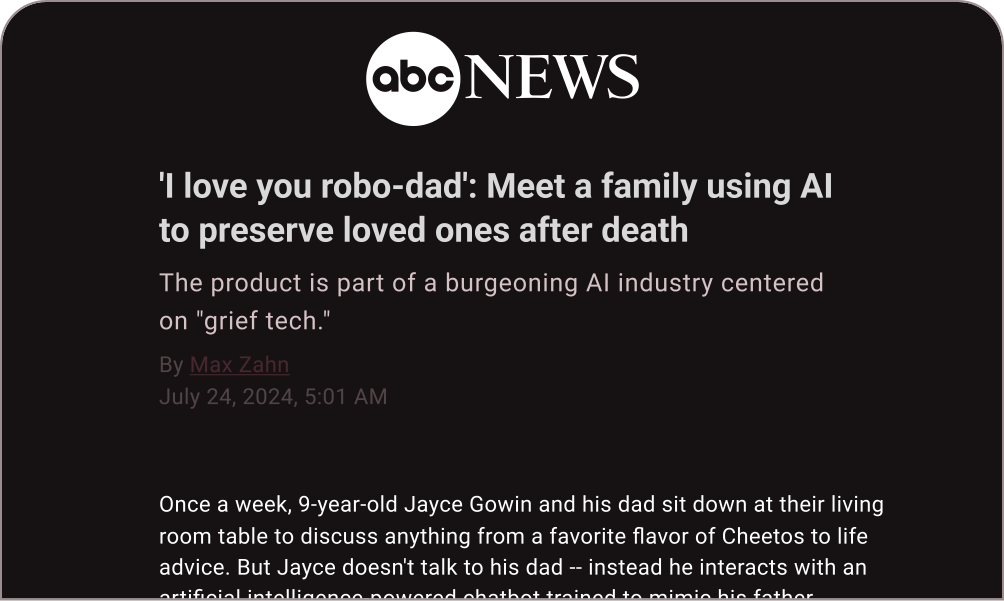
Screenshot of an ABC News article titled "I love you robo-dad," featuring a story about a family using AI "grief tech" to preserve a father's memory.

Problem

As technology evolves, traditional ways of preserving memories are fading, with aging home videos and photos becoming harder to revisit and handwriting becoming less common. Without a dedicated space to reconnect, memories of loved ones remain scattered across different platforms and formats. There is a need for a solution that thoughtfully preserves and presents their stories, voices, and presence in a meaningful way.

Solution

I developed an app that provides a dedicated space for preserving and revisiting the voices, stories, and moments of past loved ones. By bringing together home videos, audio recordings, and meaningful messages, the app offers a way to stay connected and keep their memory alive.

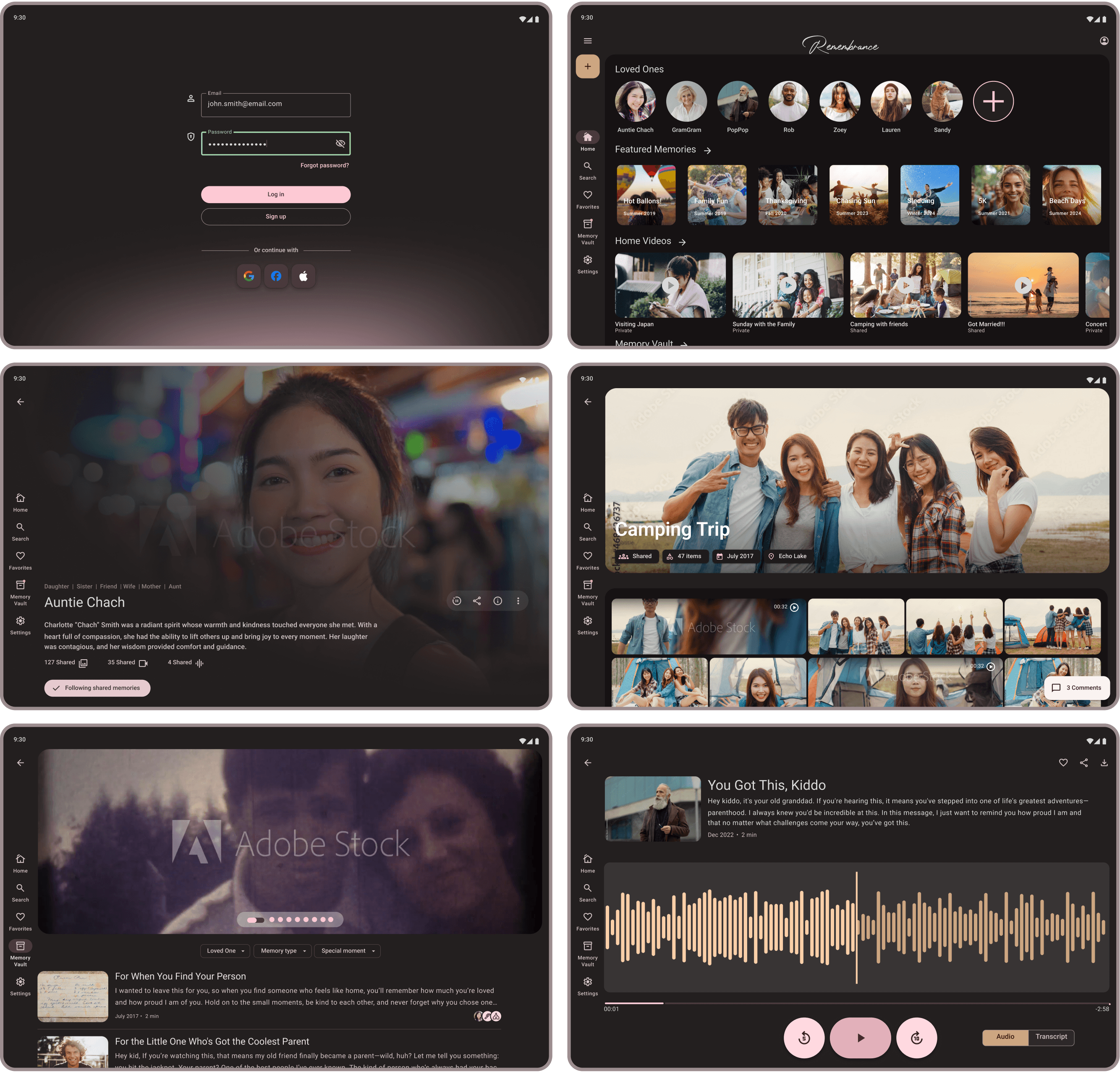
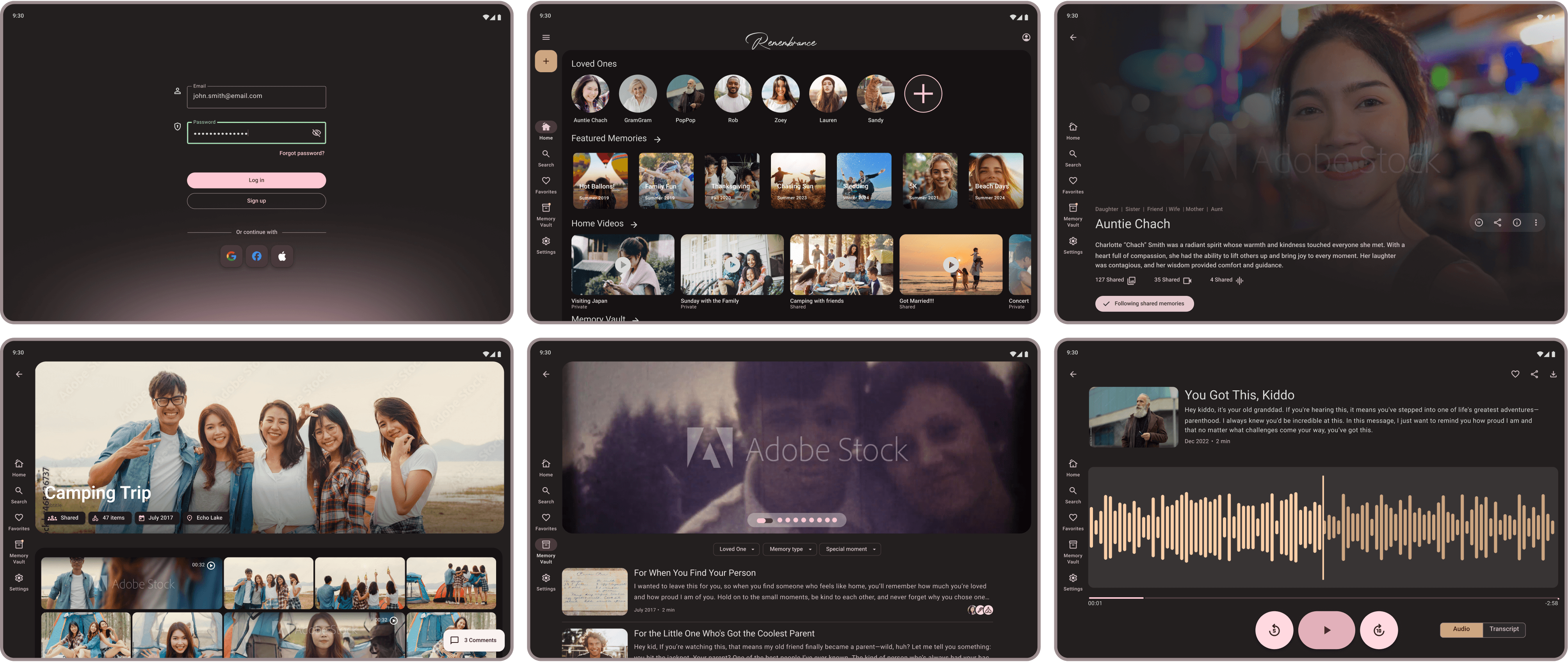
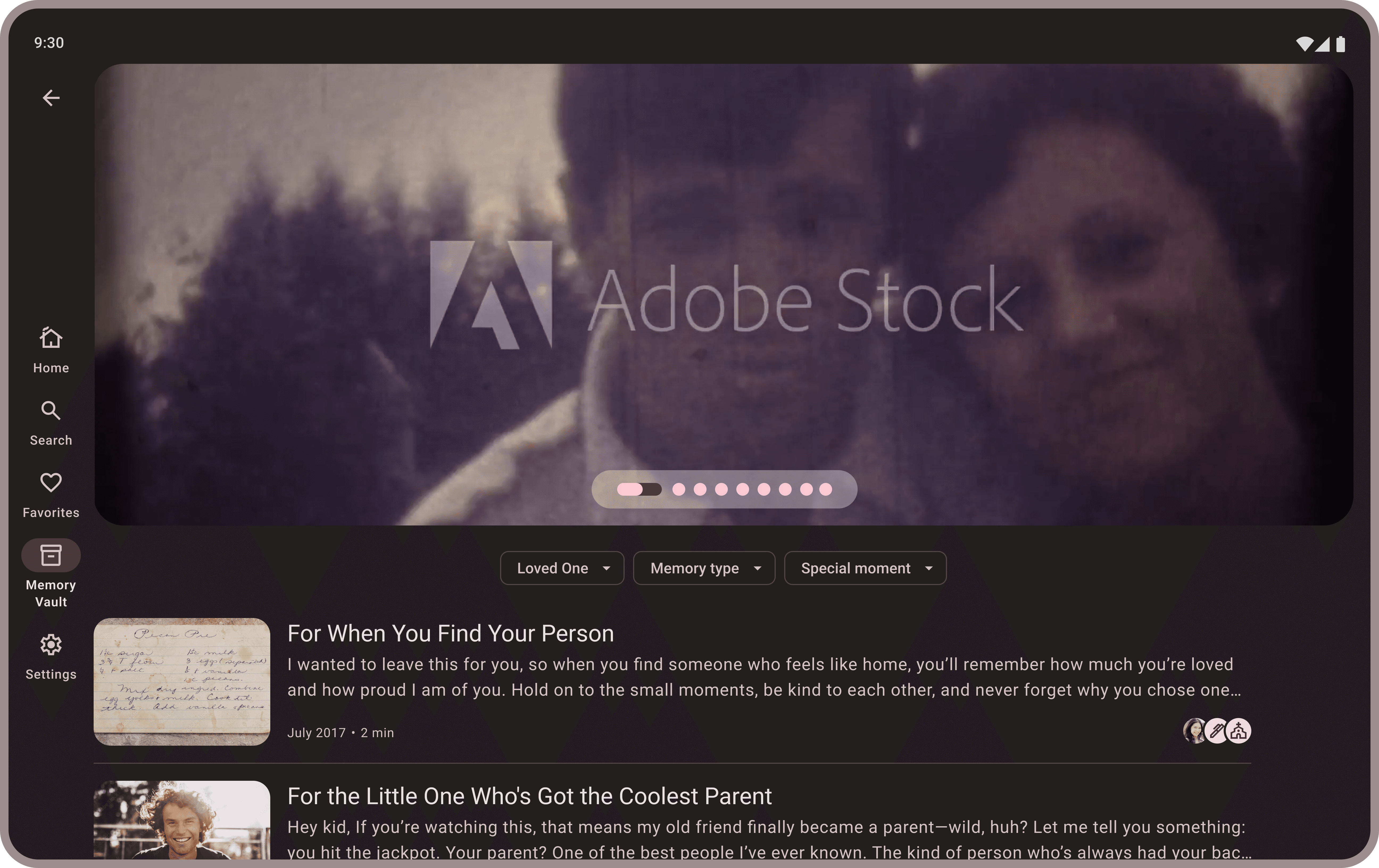
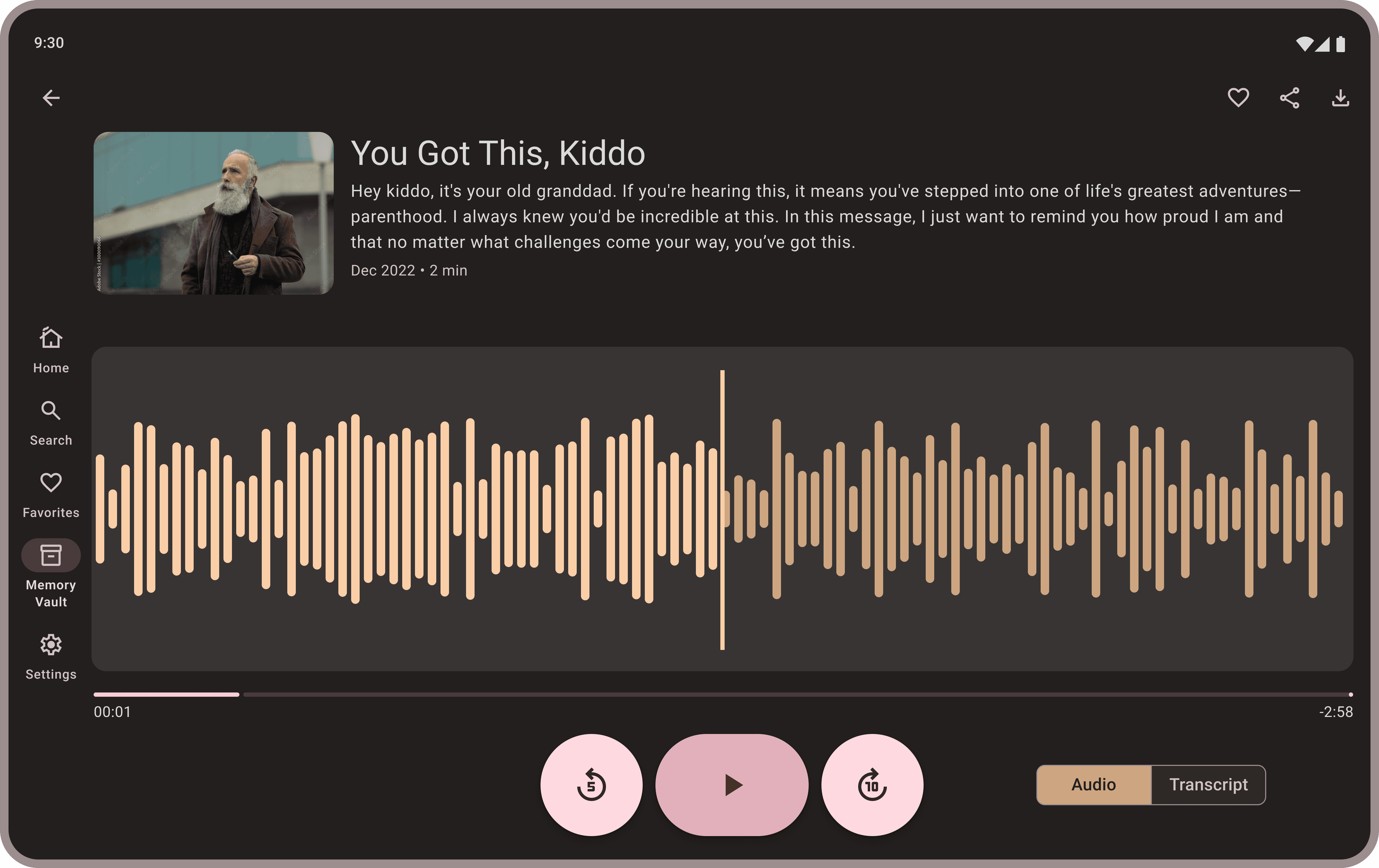
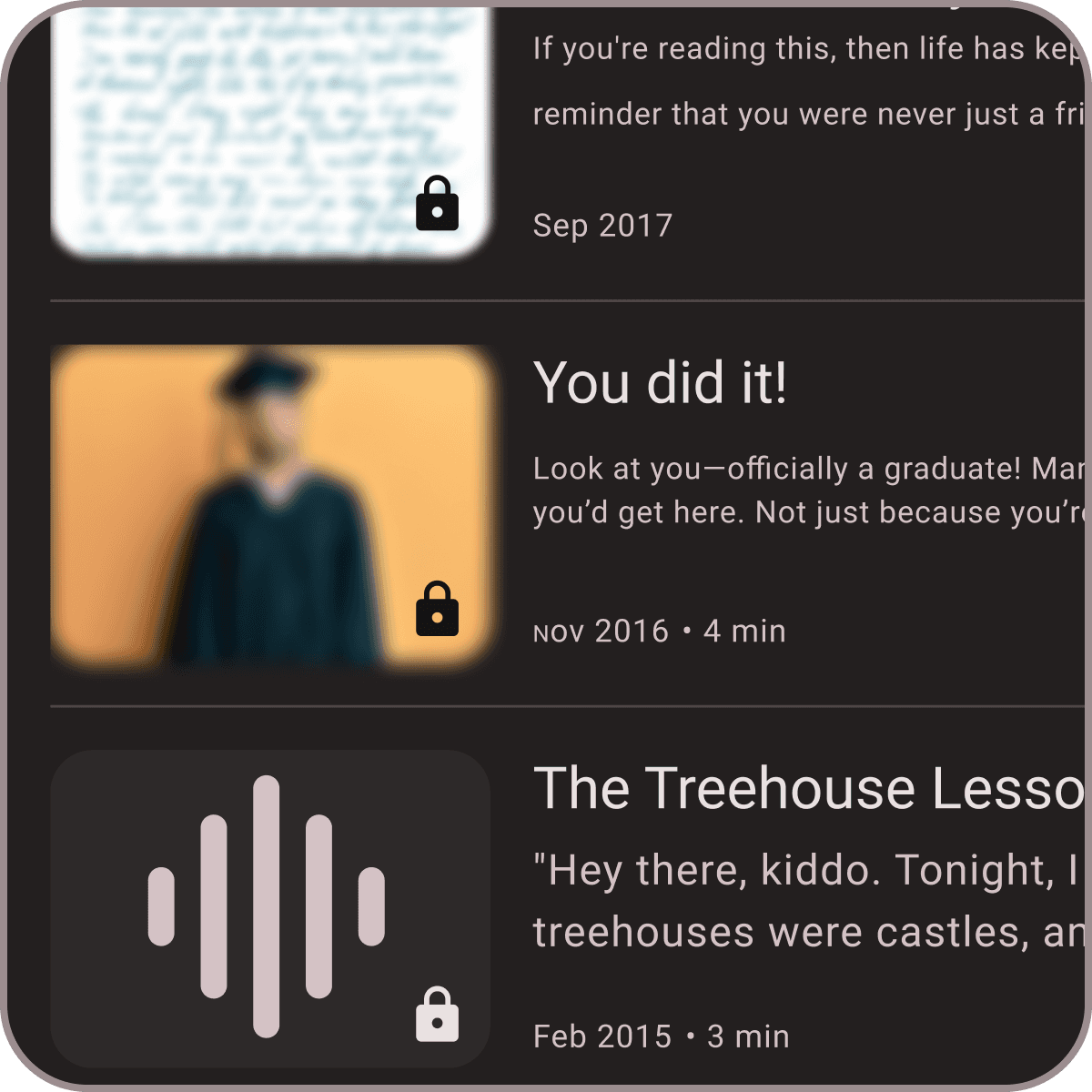
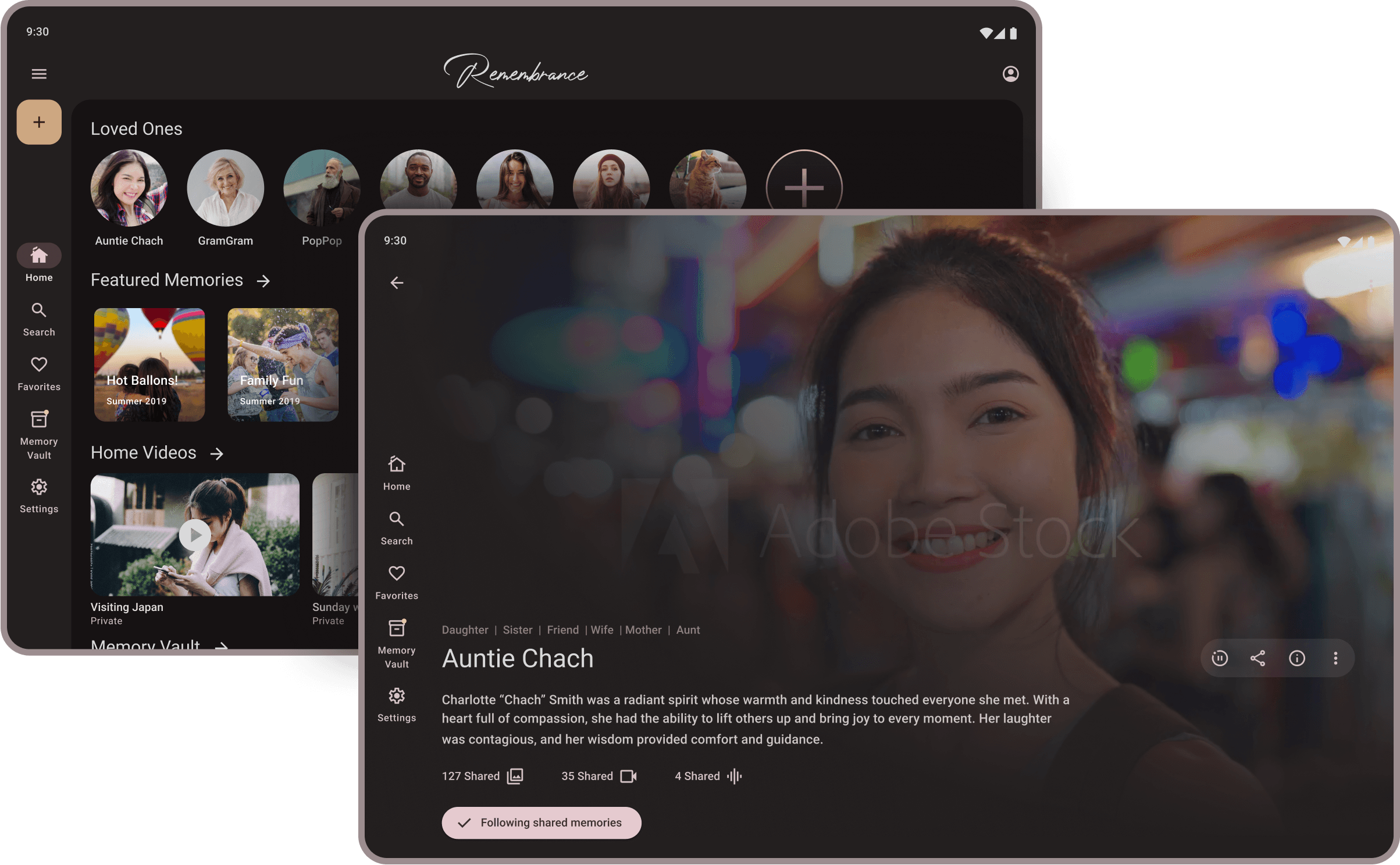
A vertical list interface where each item features a large, meaningful image paired with a descriptive title and a short summary of the memory.
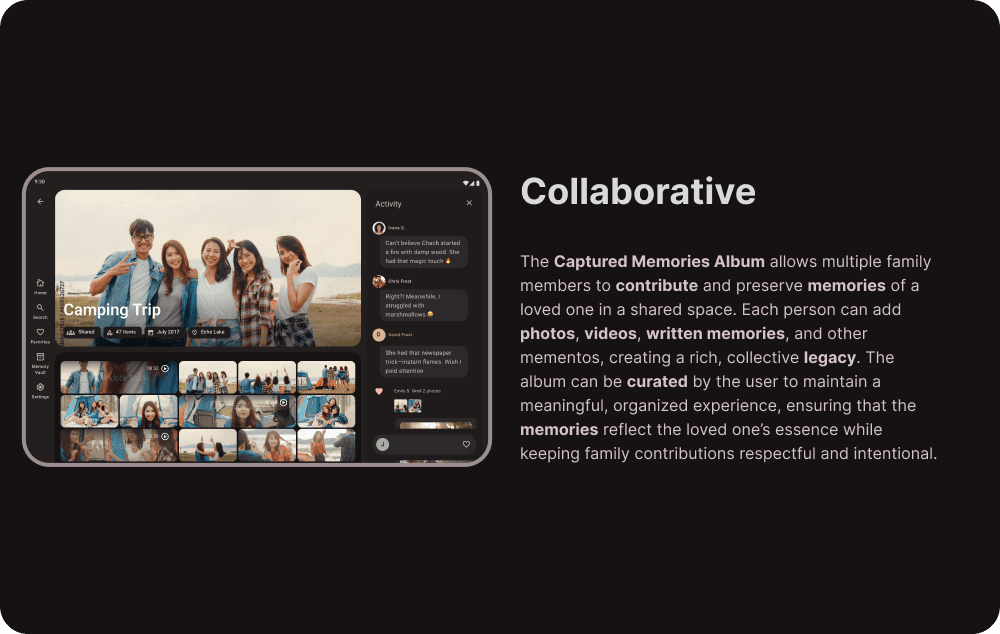
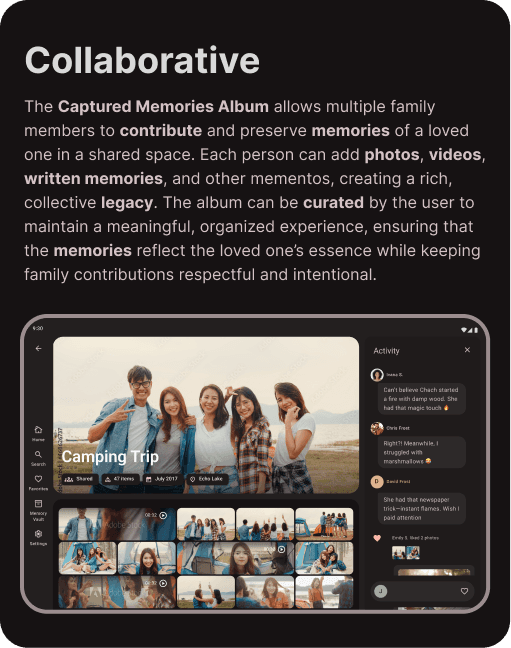
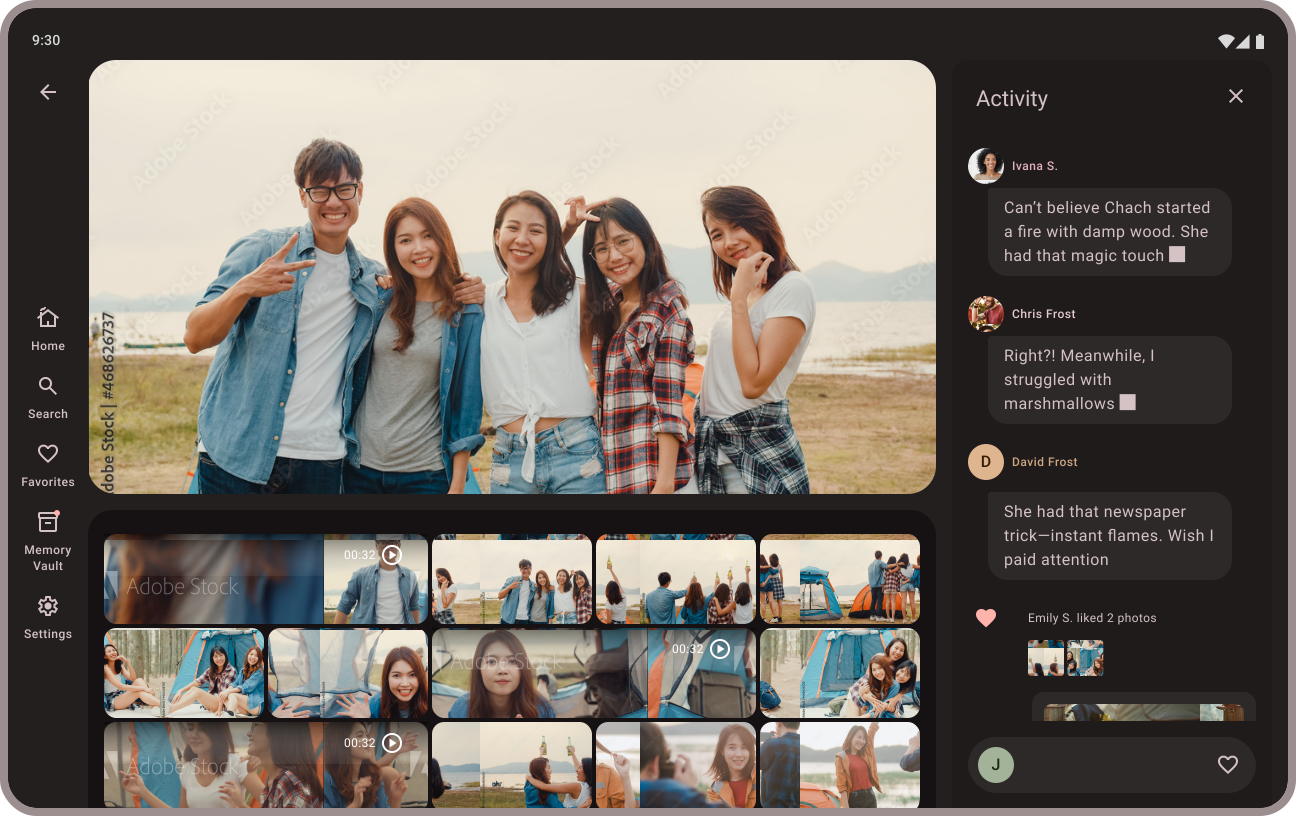
A collaborative memory album interface featuring a shared gallery of photos and videos where multiple users can contribute and leave comments.
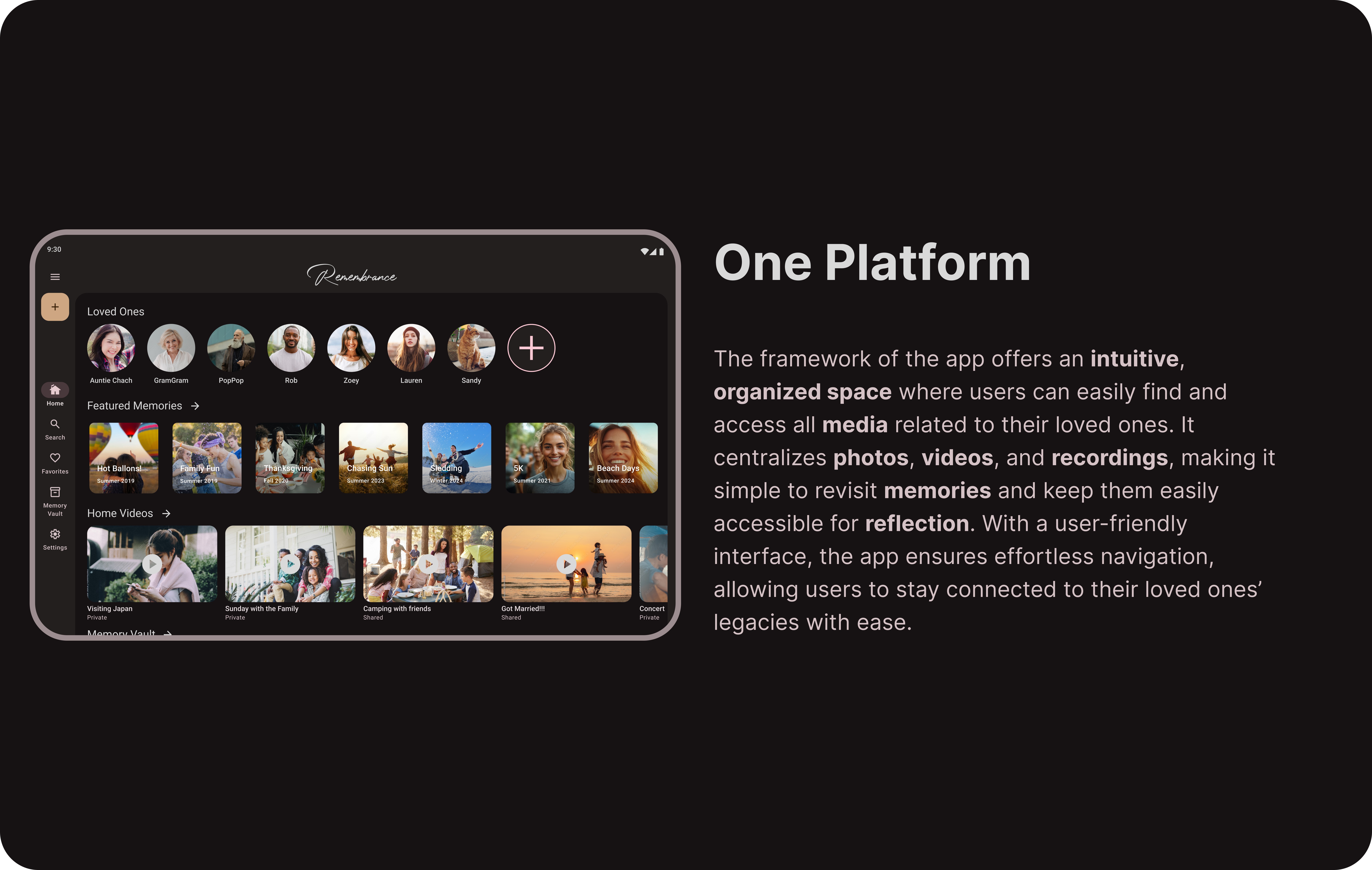
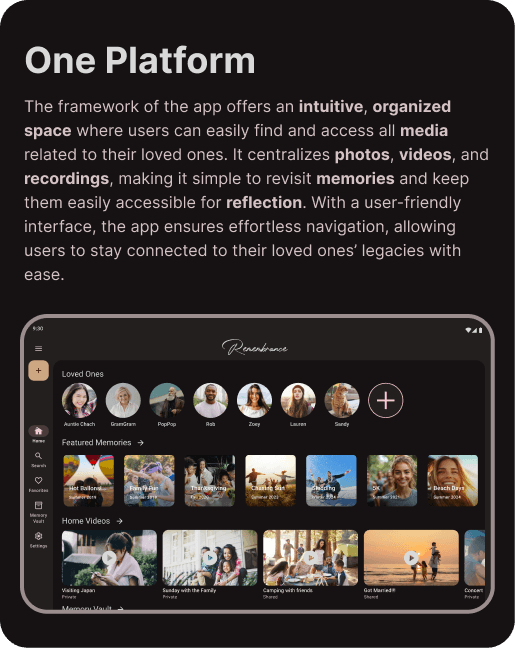
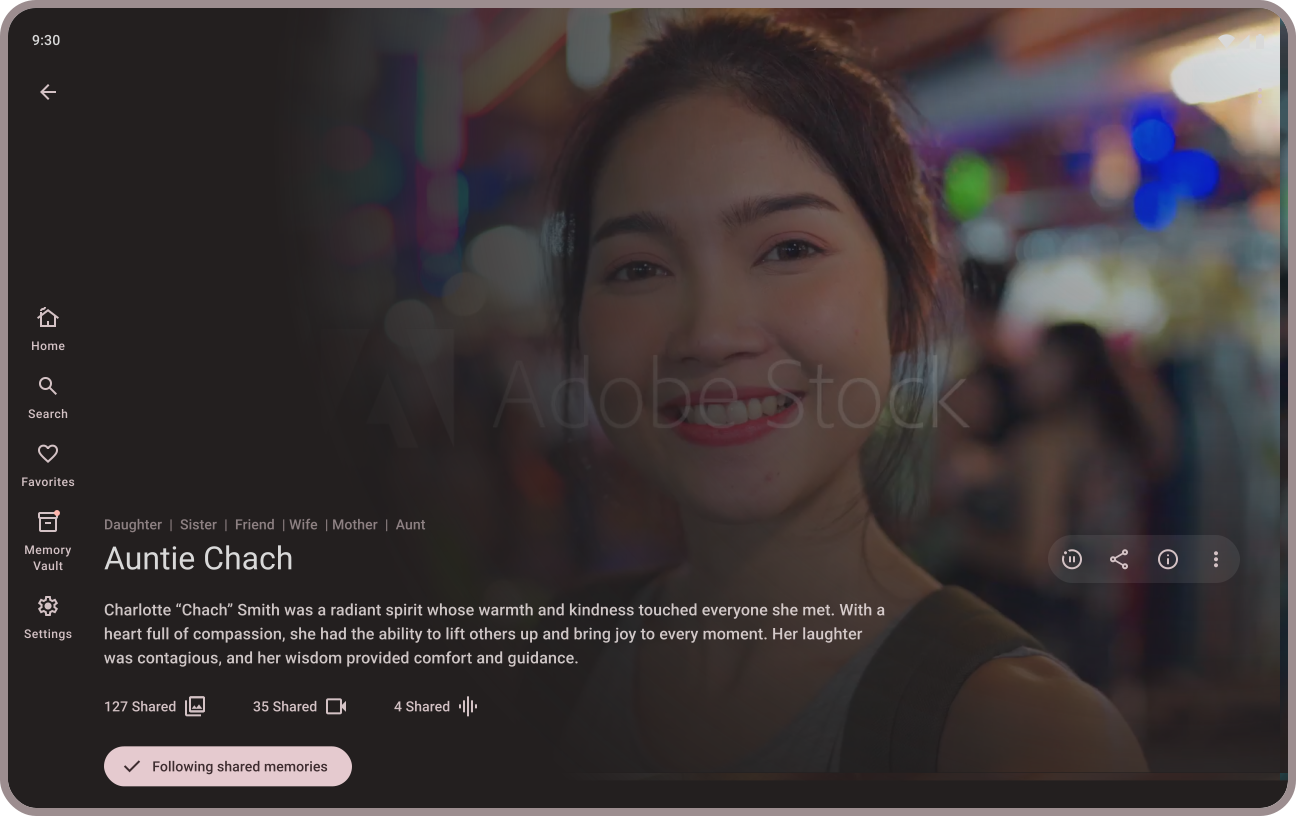
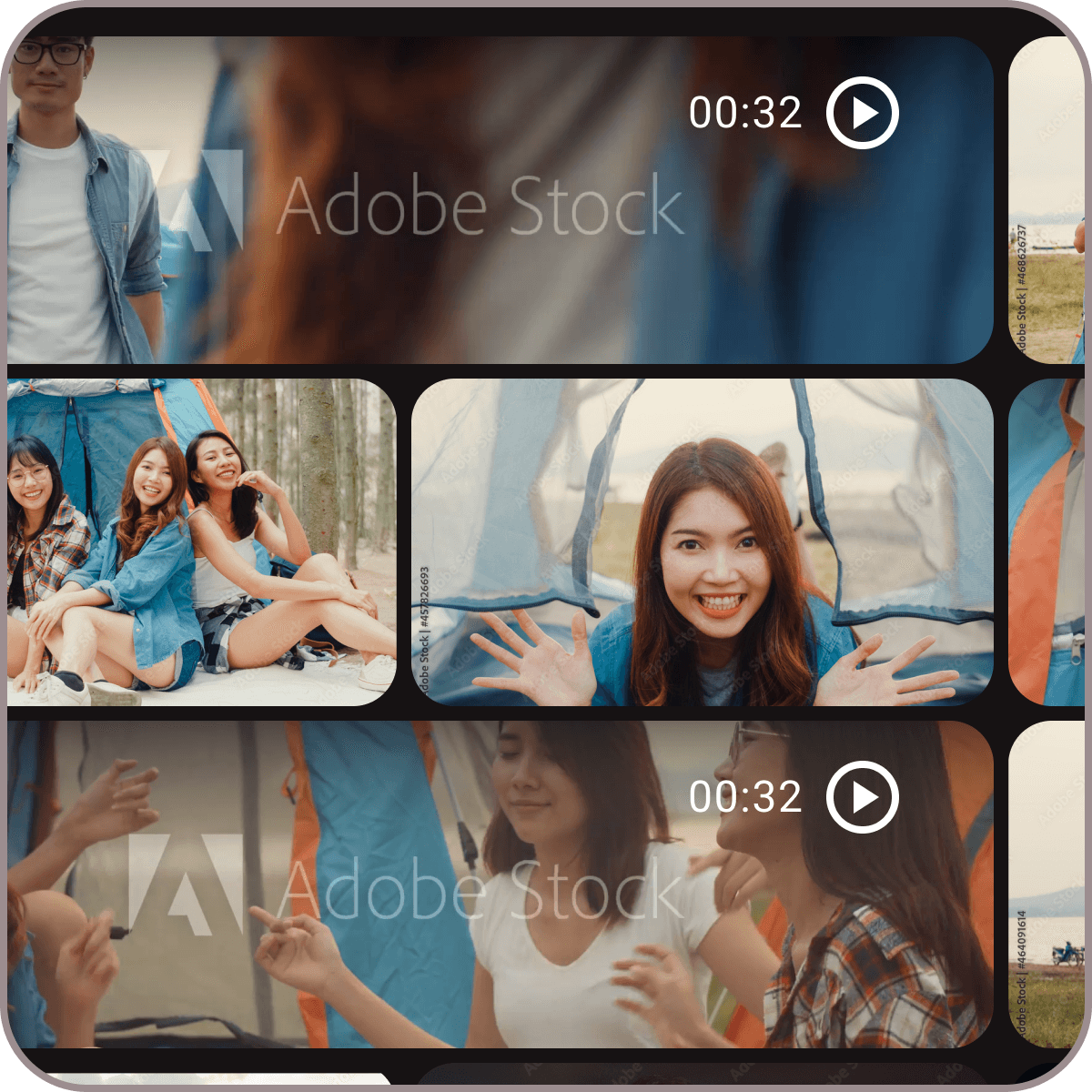
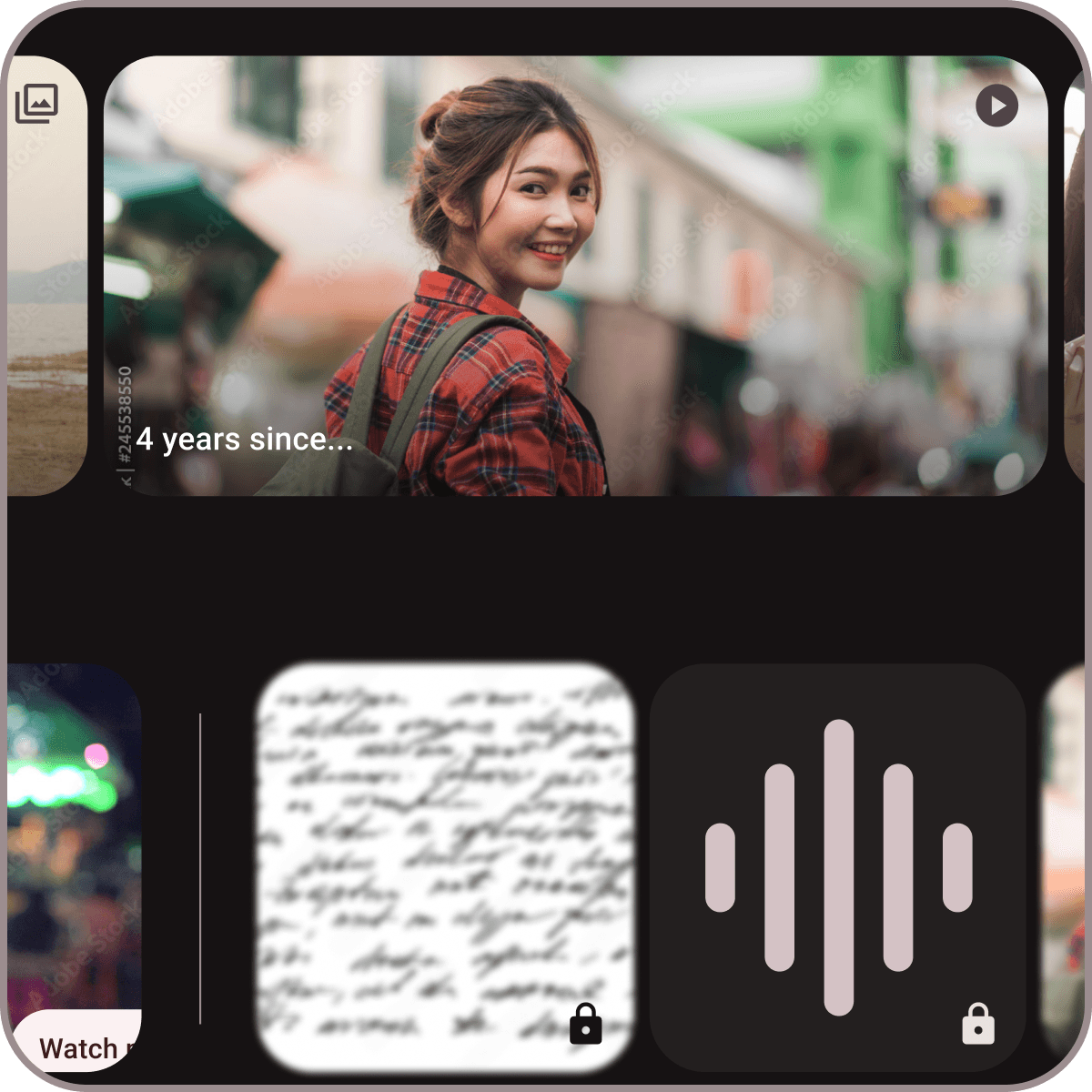
A home screen featuring multiple horizontal carousels for "Loved Ones," "Featured Memories," and "Home Videos" to organize diverse media types.

Design Process

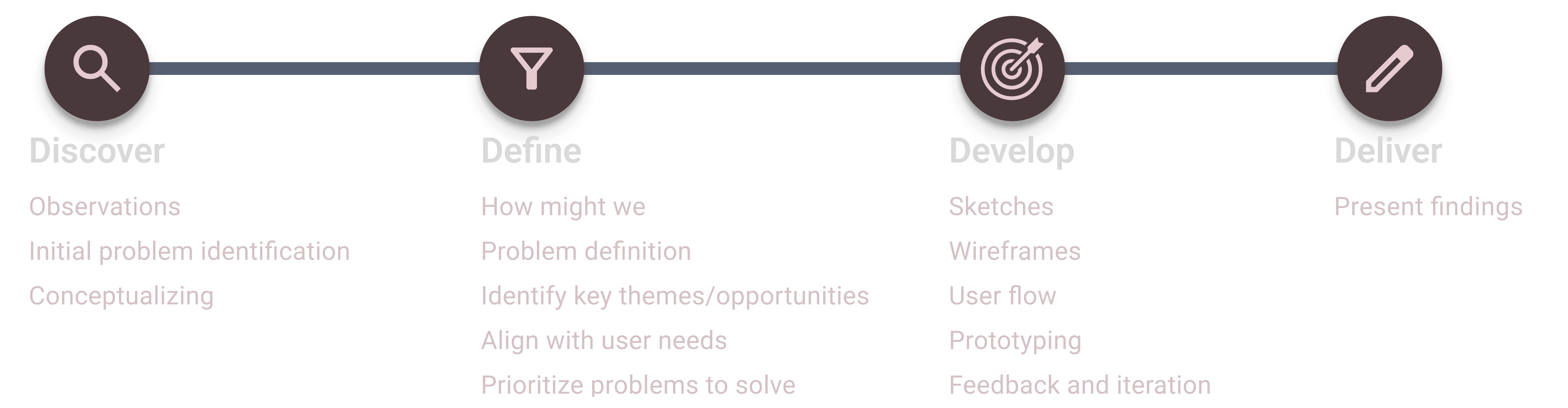
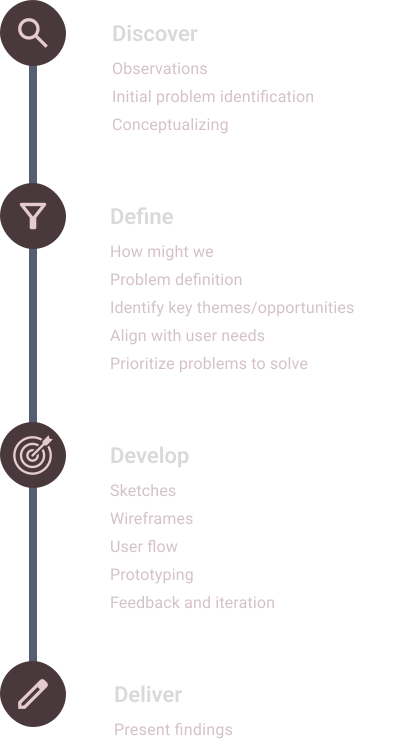
After identifying the gaps in current mental health apps, I designed an application guided by user-centered design principles and created a low-fidelity prototype. I conducted user testing with five participants, incorporating their feedback to refine the design and ensure it addressed diverse mental health needs effectively. This iterative process led to the development of a high-fidelity prototype tailored to user preferences and behaviors

Interview Insights

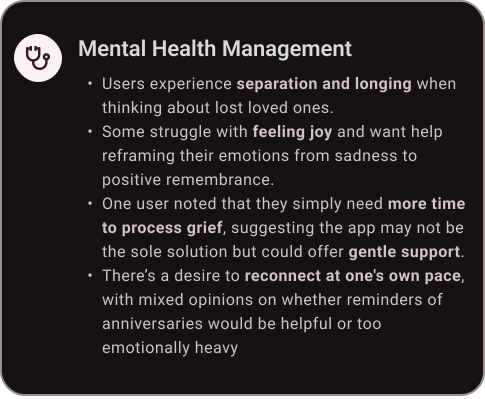
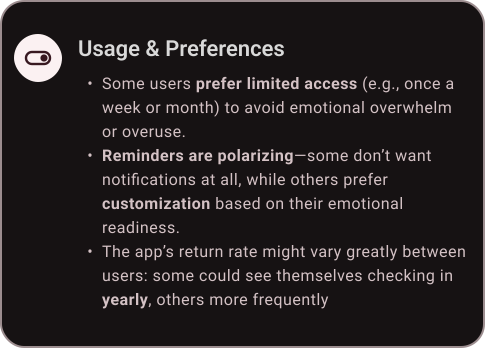
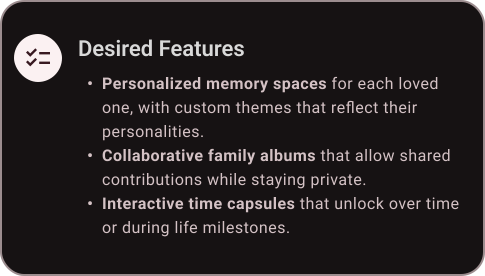
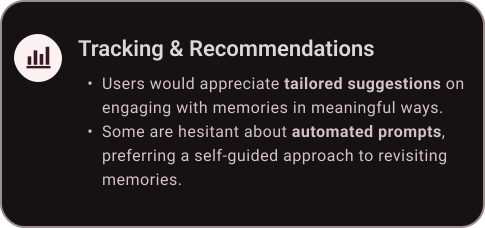
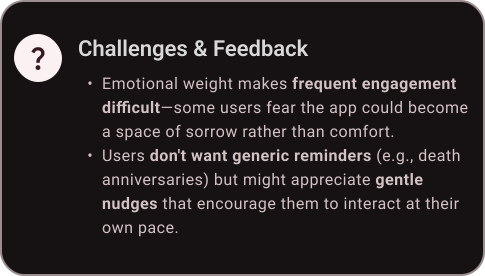
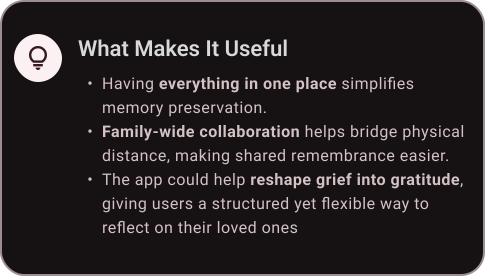
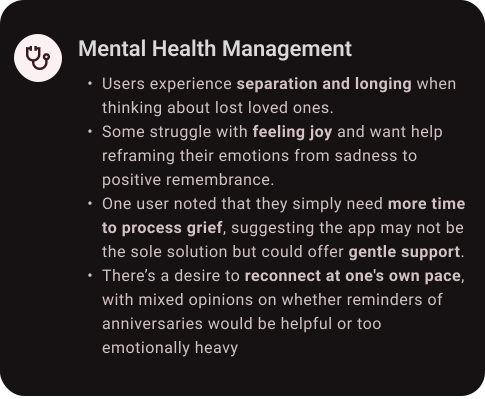
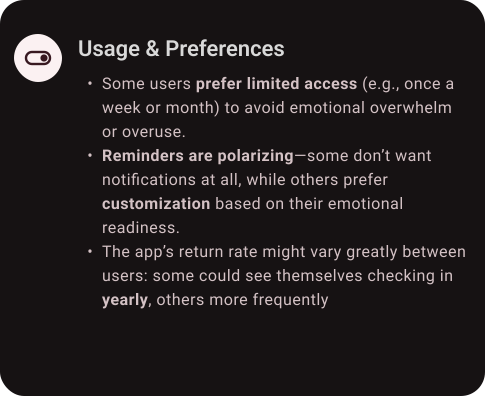
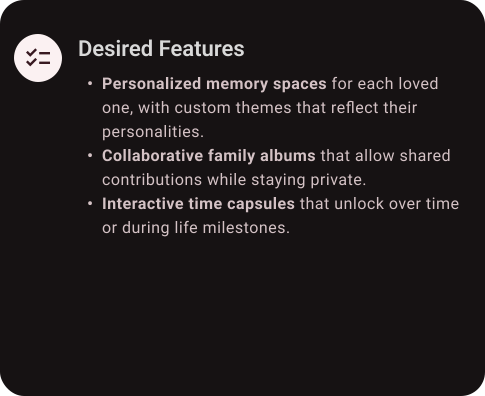
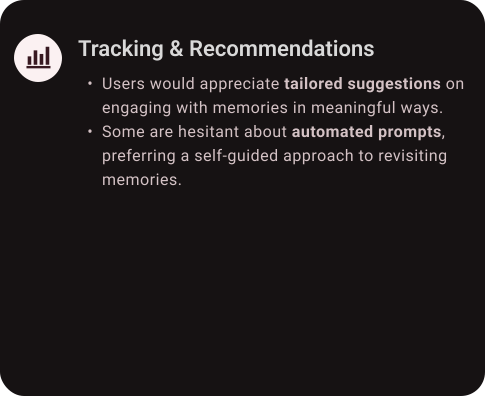
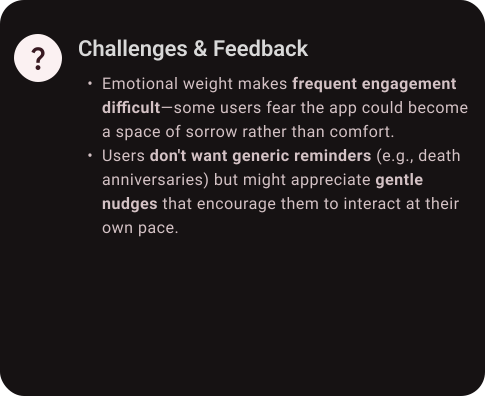
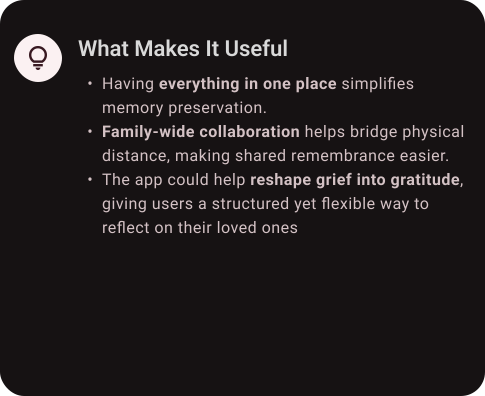
I interviewed individuals who have experienced the loss of a loved one to gain a deeper understanding of how they navigate grief and preserve memories. These conversations shed light on the emotional significance of digital remembrance and the ways people want to stay connected to those they’ve lost. This insight led to a key realization about the importance of collaborative memory-sharing, prompting additional exploration into how families and friends can contribute to a shared remembrance space.

Six cards summarizing user research for a remembrance app, covering mental health, desired features, usage preferences, and key benefits.

Design System

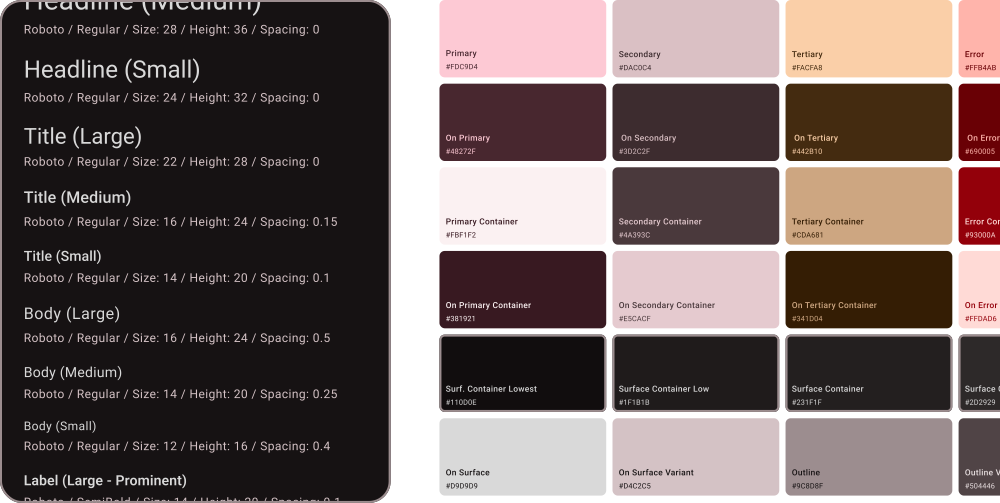
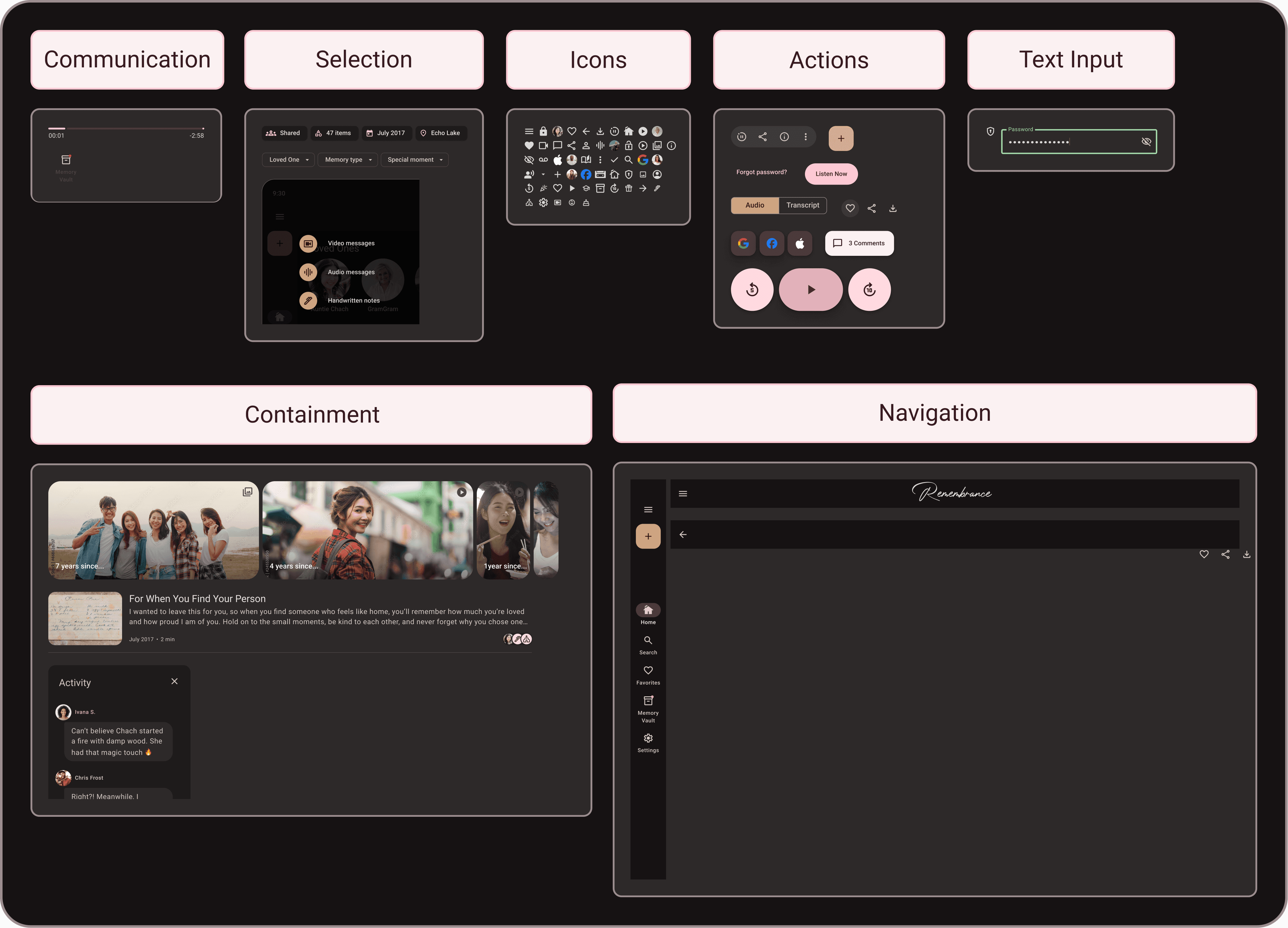
The design system for the remembrance app centers on a dark mode interface, creating a calming and intimate atmosphere that enhances the reflective experience. Cherry Blossom Pink (#FDC9D4) serves as the primary accent color, offering warmth and emotional depth while ensuring readability against the dark background. This system also defines typography, iconography, and interactions, ensuring a cohesive, accessible, and visually harmonious experience.

Style guide for the Remembrance app featuring Roboto typography scales and a muted color palette including pink, tan, and dark charcoal hex codes.
UI component library for the Remembrance app showcasing categorized design elements like icons, navigation, and media players in a dark theme.

How Might We

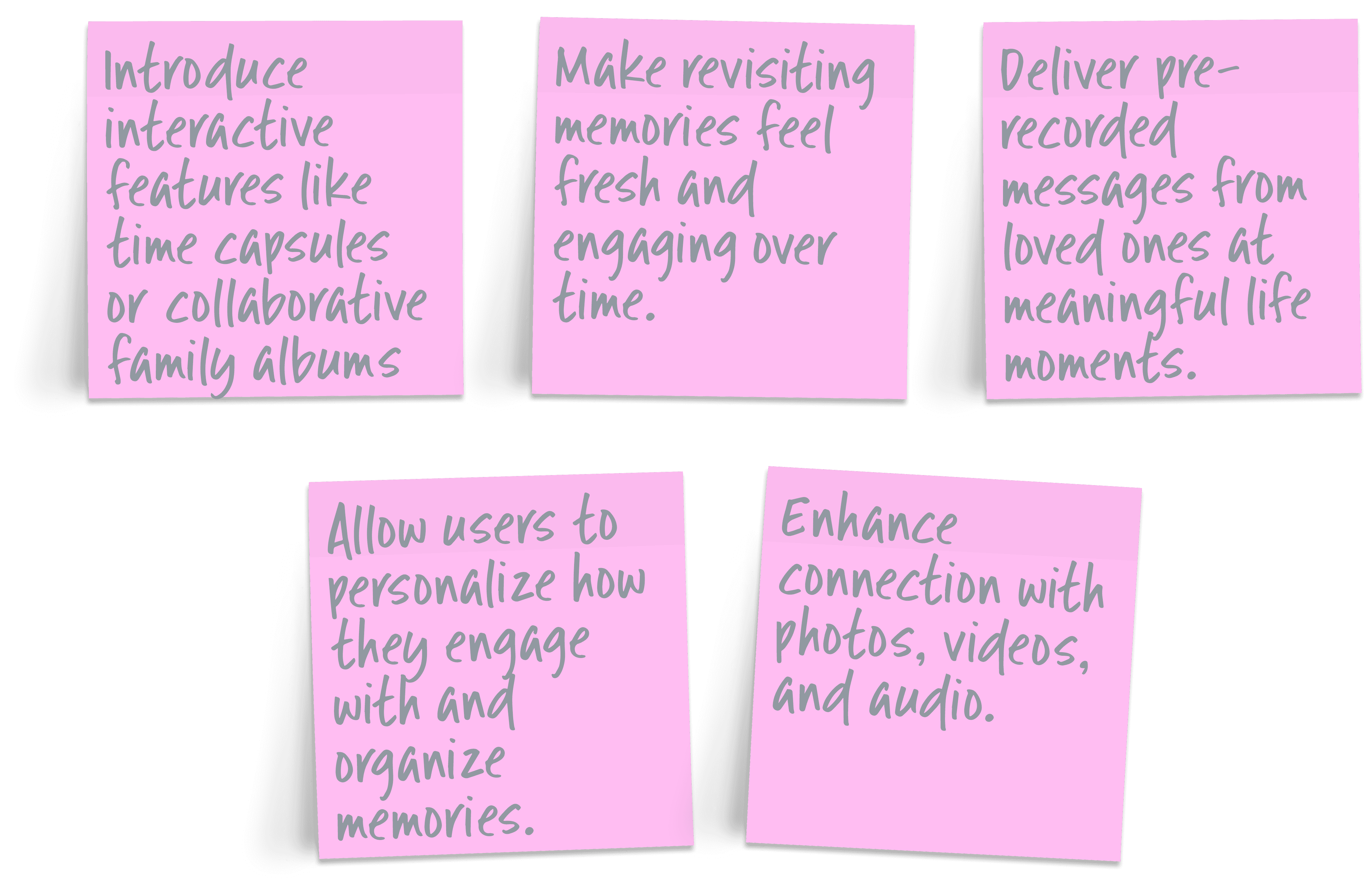
The 'How Might We' approach guided the development of the memories app that redefines how we honor loved ones, turning the process into a deeply personal and interactive experience. By focusing on emotional needs and strengthening connections, the app empowers users to create personalized memorials and share treasured memories in meaningful ways.

Five pink sticky notes outlining "How Might We" goals for the Remembrance app, such as introducing interactive features and enhancing memory connection.

Sketches

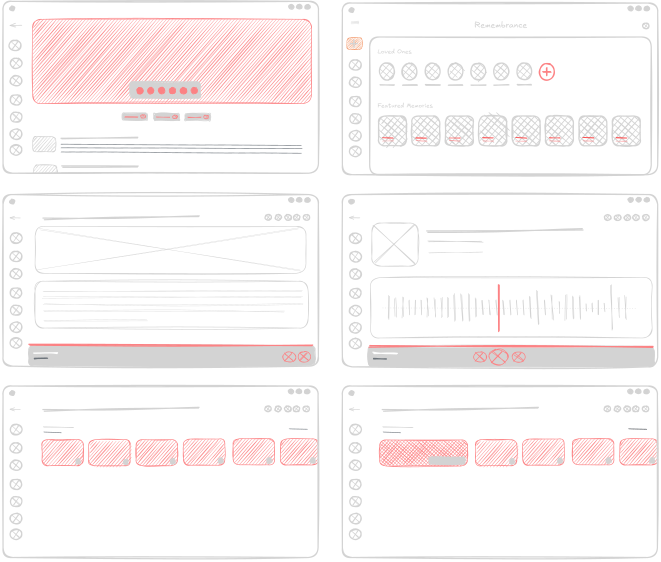
In the initial stages, I used sketches to map out the app’s core experience and interactions. These early explorations helped visualize key features and refine the overall flow. By iterating quickly, I ensured the design stayed focused on accessibility and usability.
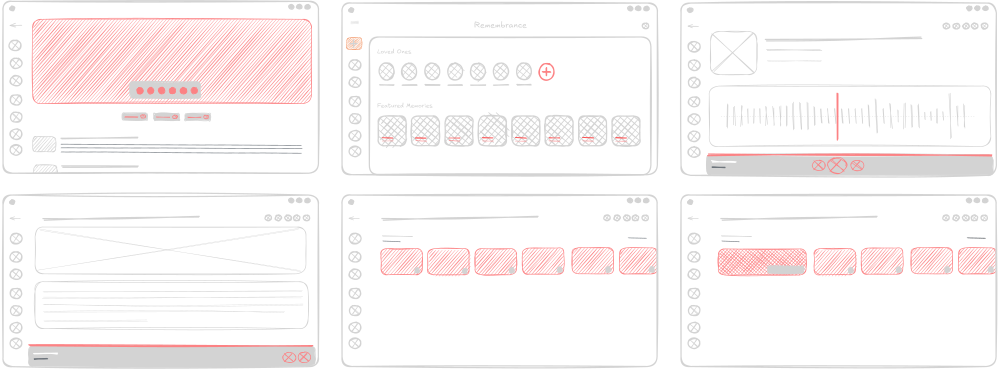
Six hand-drawn digital wireframe sketches for the Remembrance app, illustrating early layout ideas for media players, memory galleries, and user profiles.

Low-Fidelity Prototype

The low-fidelity prototype translated initial sketches into a clickable experience, allowing for early testing of the app’s structure and user flow. This stage helped identify pain points and refine interactions before moving to high-fidelity designs. Gathering feedback early ensured the experience remained seamless and emotionally resonant.

Digital wireframes for the Remembrance app featuring high-fidelity elements like photos, audio players, and a candle-lit login screen on a dark UI.

Usability Study

The usability study helped evaluate how easily users could navigate the app and interact with its features. Feedback revealed areas for improvement, leading to refinements in accessibility and flow. These insights ensured a more seamless and emotionally meaningful experience.

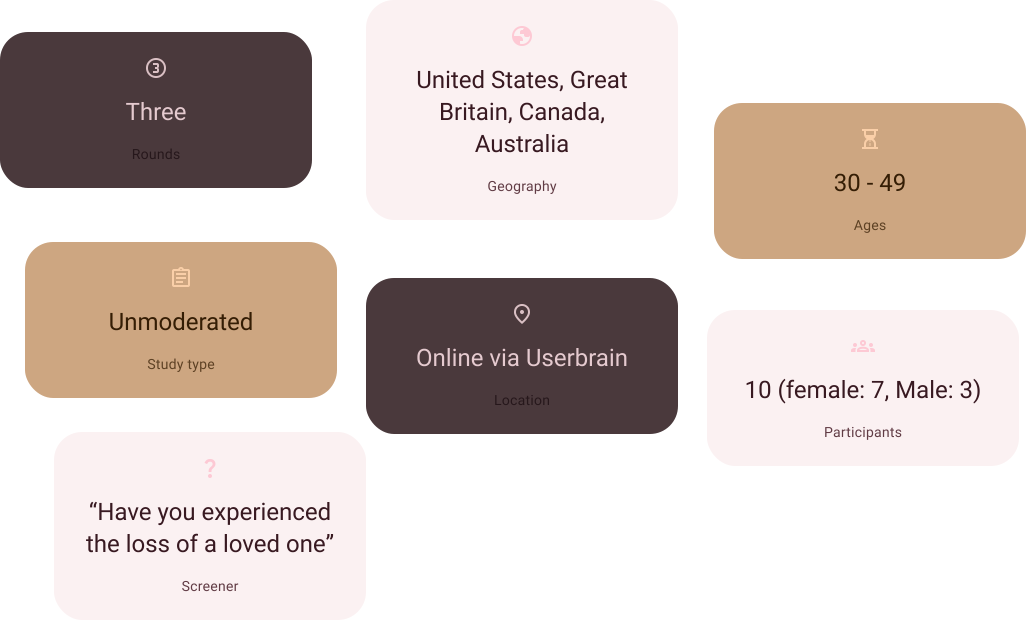
Research synthesis for the Remembrance app: results from 10 international testers (ages 30-49) via 3 rounds of unmoderated testing on Userbrain.

Design Iteration

Design iterations for the remembrance app were shaped by user insights and testing, refining both functionality and emotional impact. Adjustments focused on enhancing storytelling elements, optimizing the Memory Vault experience, and ensuring a visually soothing interface. This iterative approach led to a design that feels intuitive, personal, and deeply meaningful.
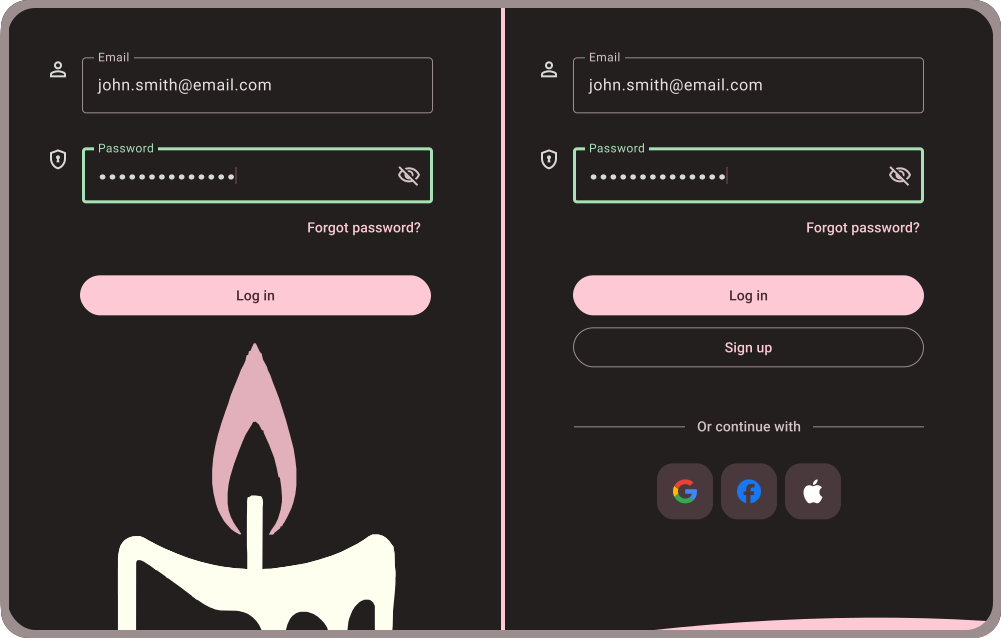
Before-and-after comparison of the Remembrance app login screen, evolving from a candle graphic to a layout with social SSO options.

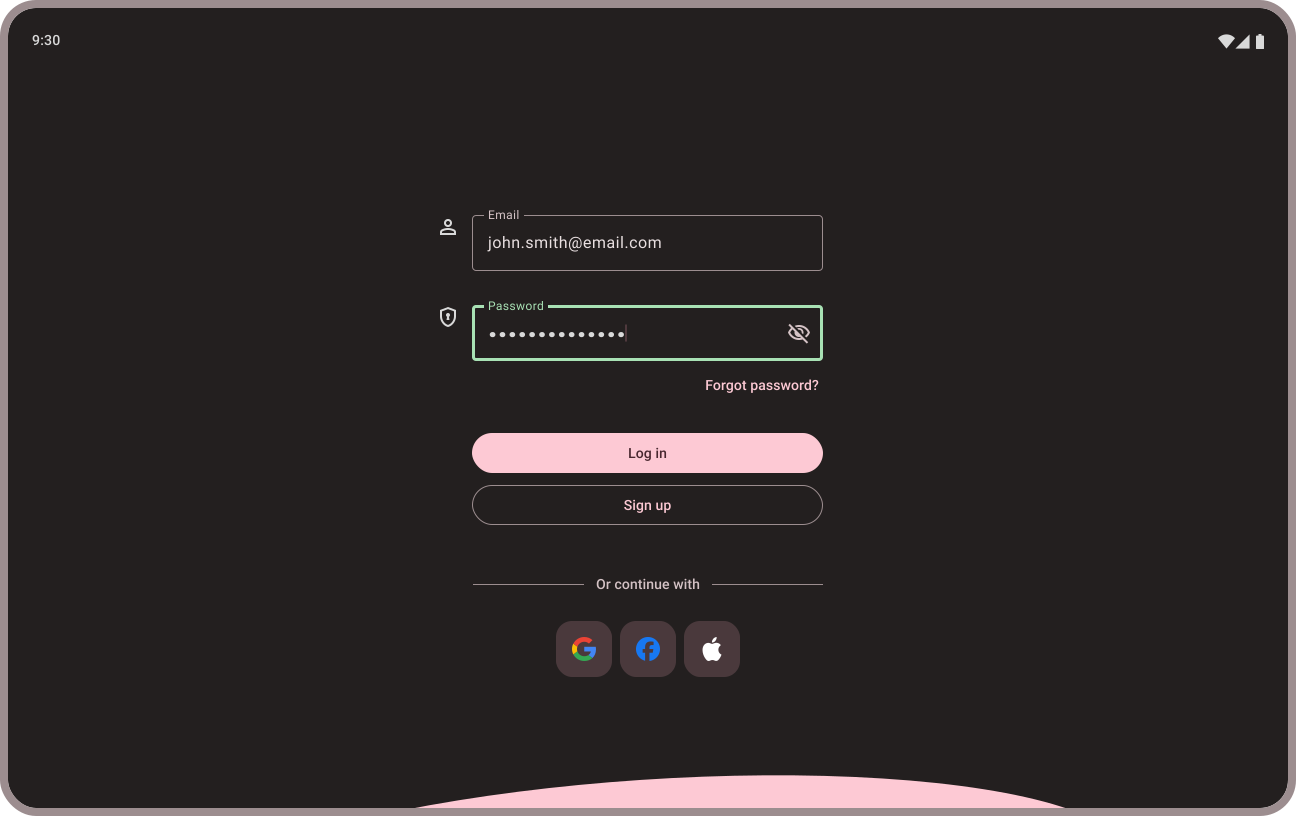
For the first iteration, the focus was on the login screen. A tester reflected on past experiences and noted a preference for logging in with Facebook credentials, a feature missing from the initial design. In response, the login screen was updated to include this option, improving convenience and aligning with user expectations.
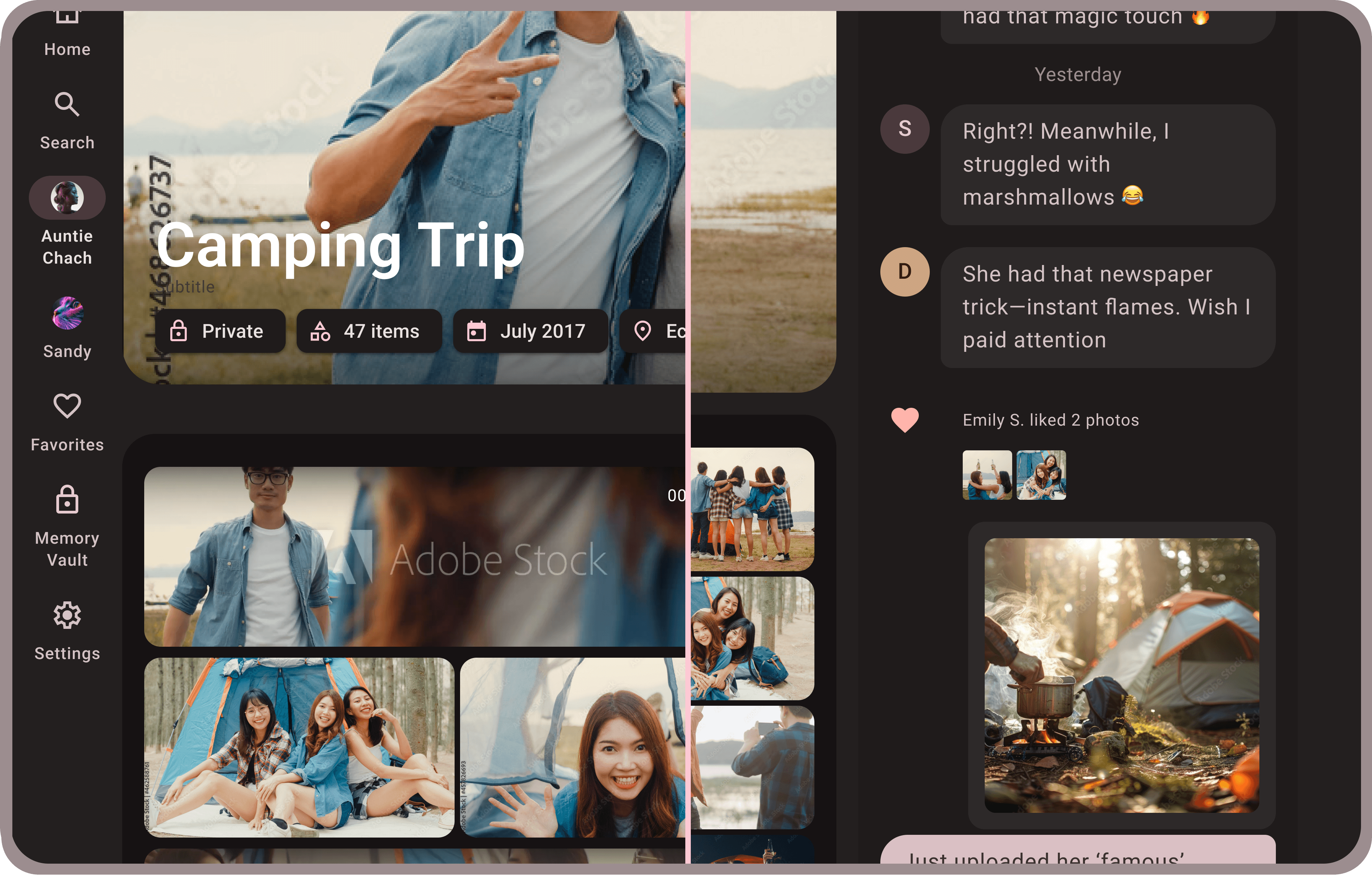
A mobile UI iteration for the Remembrance app shared photo album featuring a new right-side panel with user comments and photo likes.

In the second iteration, a tester suggested allowing family members to comment on uploaded photos and videos, adding a new layer of interaction. Through several rounds of testing, the feature evolved to include user avatars, names, and a more engaging commenting experience, fostering deeper connections within the app.

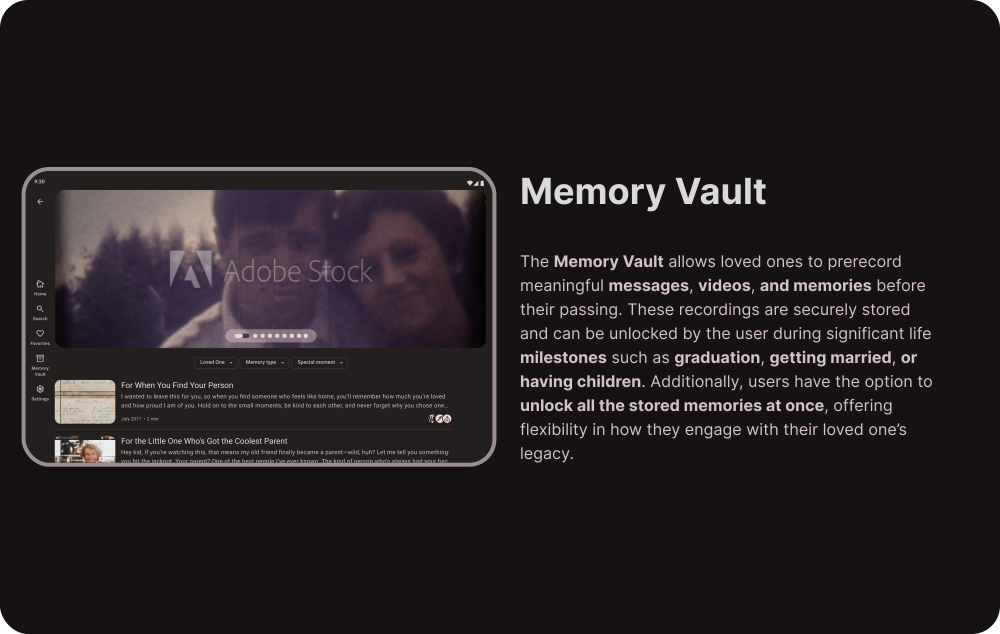
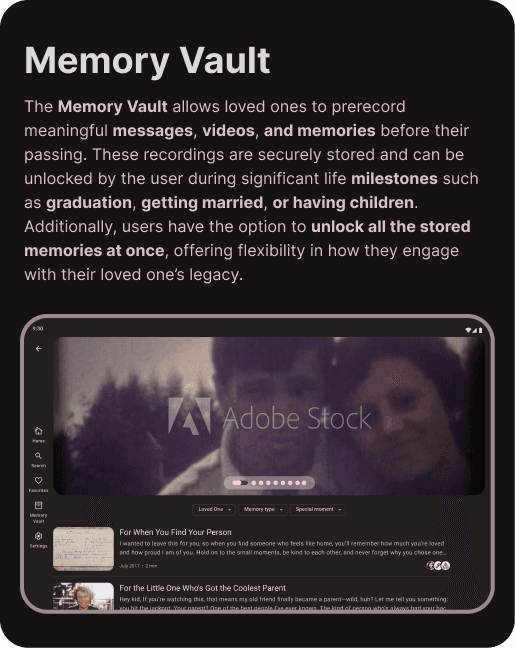
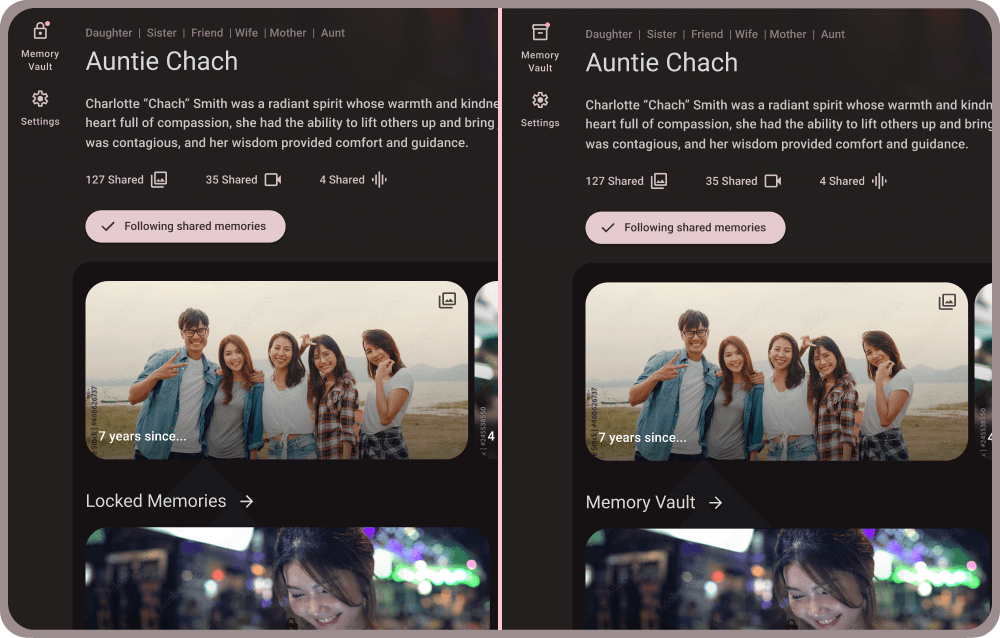
UI iteration replacing the lock icon with a cardboard file box and "Locked Memories" with "Memory Vault" to clarify natural unlocking.

In the third iteration, testers expressed concern that the lock icon and the term "Locked Memories" implied a paywall, with one tester even describing it as feeling "gamified." To address this, the wording and iconography were refined to ensure users clearly understood that these memories unlock naturally over time, preserving the app’s emotional intent.

Final Design
Accessibility Considerations

Accessibility was at the forefront of our design decisions for [App Name], ensuring an inclusive and user-friendly experience for everyone. We carefully considered the diverse needs of our users, incorporating features and design elements that promote usability for people with varying abilities. The following examples highlight our commitment to accessibility throughout the app's development.

Accessibility was at the forefront of our design decisions for [App Name], ensuring an inclusive and user-friendly experience for everyone. We carefully considered the diverse needs of our users, incorporating features and design elements that promote usability for people with varying abilities. The following examples highlight our commitment to accessibility throughout the app's development.

Visual identifiers for media types and vault status, using unique iconography to reduce cognitive load and improve navigation for all users.

Identifiers: To ensure all users could easily identify media types and their accessibility status, we incorporated distinct icons for videos, audio files, and documents. These icons also visually indicate whether the media is locked behind the memory vault. This approach improved accessibility for individuals with visual or cognitive differences, reduced cognitive load for all users, and provided clear and predictable media identification, contributing to a more inclusive and user-friendly experience.

Dark mode interface with high-contrast text designed for visual comfort, reducing eye strain and improving readability for all users.

Eye strain reduction: To enhance user experience and accessibility, the app was designed with a dark mode interface. This approach reduces eye strain, improves readability for some users, and aligns with user preferences. By prioritizing visual comfort and accessibility from the outset, we created a more inclusive and enjoyable experience for all users.

What I Learned

I've learned that every emotion comes with an app such as this one. From one tester asking the need for an app like this, when "we perfectly have photo albums for things like this" to another tester choking up during the session, wishing they had something like this for when their grandmother passed away.


I've learned that there is excitement and hesitations within this concept. The excitement is around having a "one stop shop" for these memories. Having them all in one place, especially if it was something that the whole family could use and upload to. I learned that people like the idea of having this "digital graveyard" to go to and feel like they are visiting their loved one. One user said it felt disrespectful to have their meories live anywhere else online except something such as this. Almost as if facebook or instagram "wasn't good enough".


The hesitations that I saw were mostly around the AI features. People felt that it was "creepy" and "disrespectful" to have this, especially if they were not asked about it directly from the loved one who passed. They did however, like the idea of having messages and videos sent to them on milestone dates like a wedding or birthday, if the loved one had recorded it before passing. I also noticed that almost everyone said they would need time to heal in order to even think about using an app such as this. It was mentioned many times that it would be "too hard" or "too emotional" to use something like this in the early stages of grief.
©2026 Justin Burrill. All Rights Reserved.

©2026 Justin Burrill. All Rights Reserved.