Mental Health App

Clear Mind
Overview

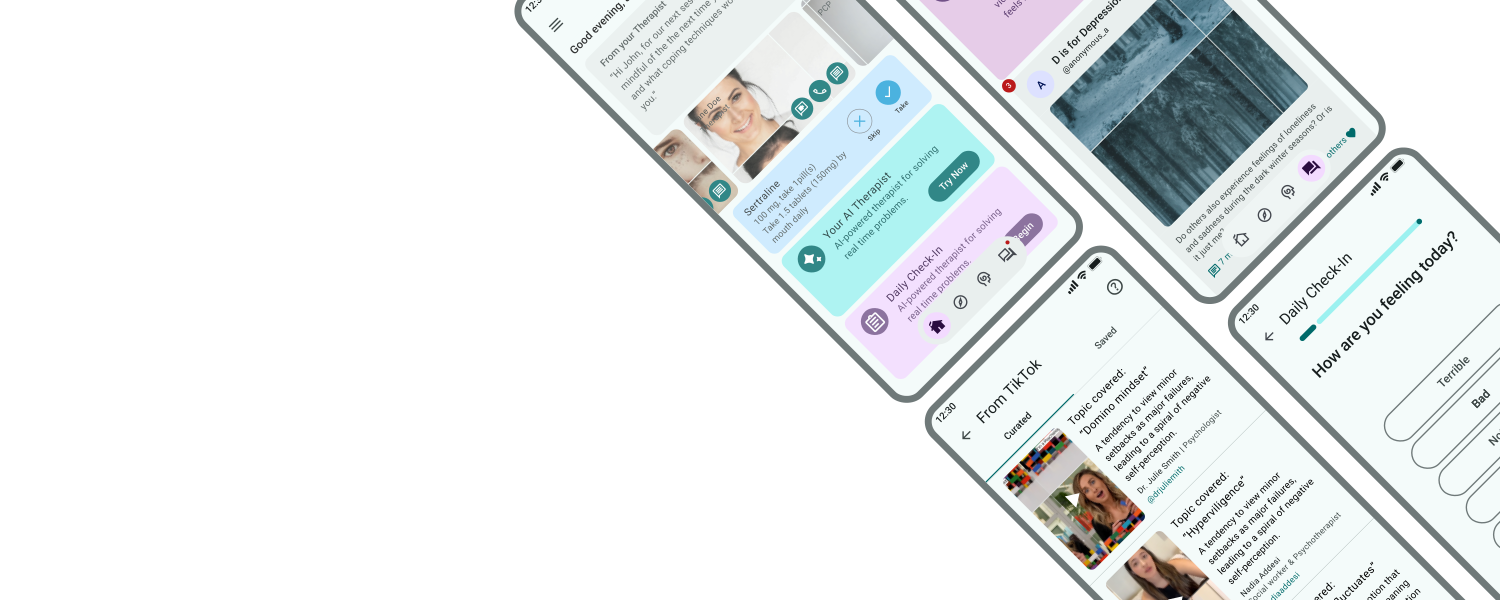
ClearMind is a mental health app designed to empower users with personalized tools for well-being. It integrates various coping strategies into one intuitive platform, addressing gaps in existing solutions. Inspired by personal experiences, the app offers resources, support, and a community forum to enhance mental wellness. Extensive research and usability testing guided its development to meet users' unique needs.

Team

  • Sole Designer

Responsibilities

  • User Research

  • Wireframing/Prototyping

  • UX/UI Design

  • Usability Testing

Duration

  • Aug 2023 - Sept 2024

Problem

Current mental health apps lack personalization and comprehensive support, offering narrow solutions like meditation or mindfulness that fail to meet diverse user needs. This forces individuals to rely on multiple apps, resulting in inconsistent use and limited long-term impact on mental well-being.

Solution

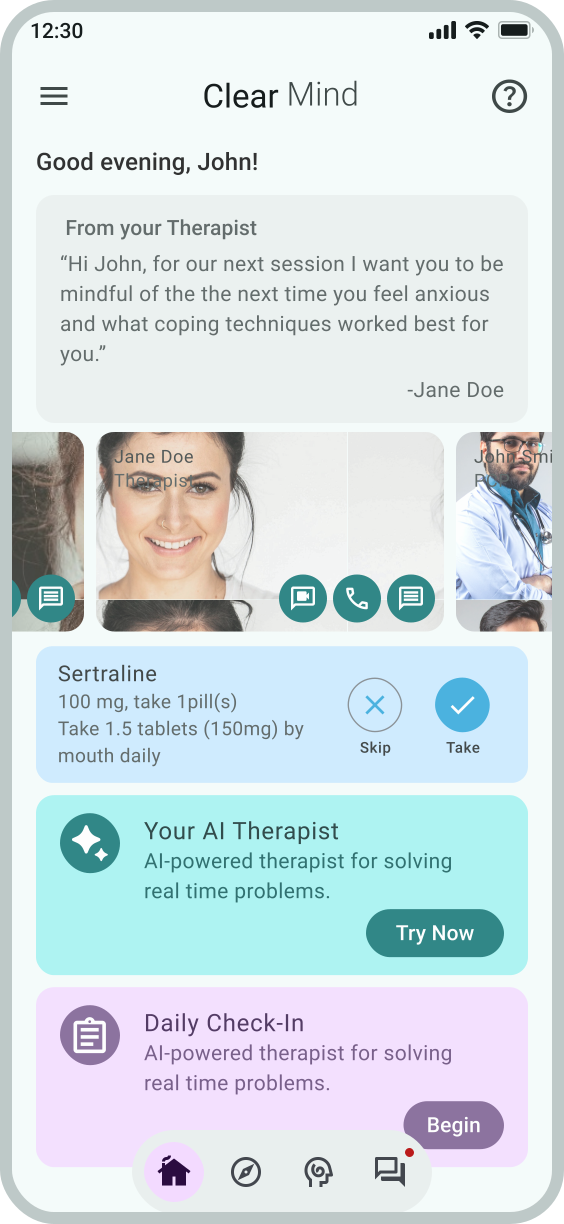
I developed a personalized mental health app that adapts to users' unique emotional needs, complements professional care, and provides intuitive tools for both daily self-care and moments of crisis.

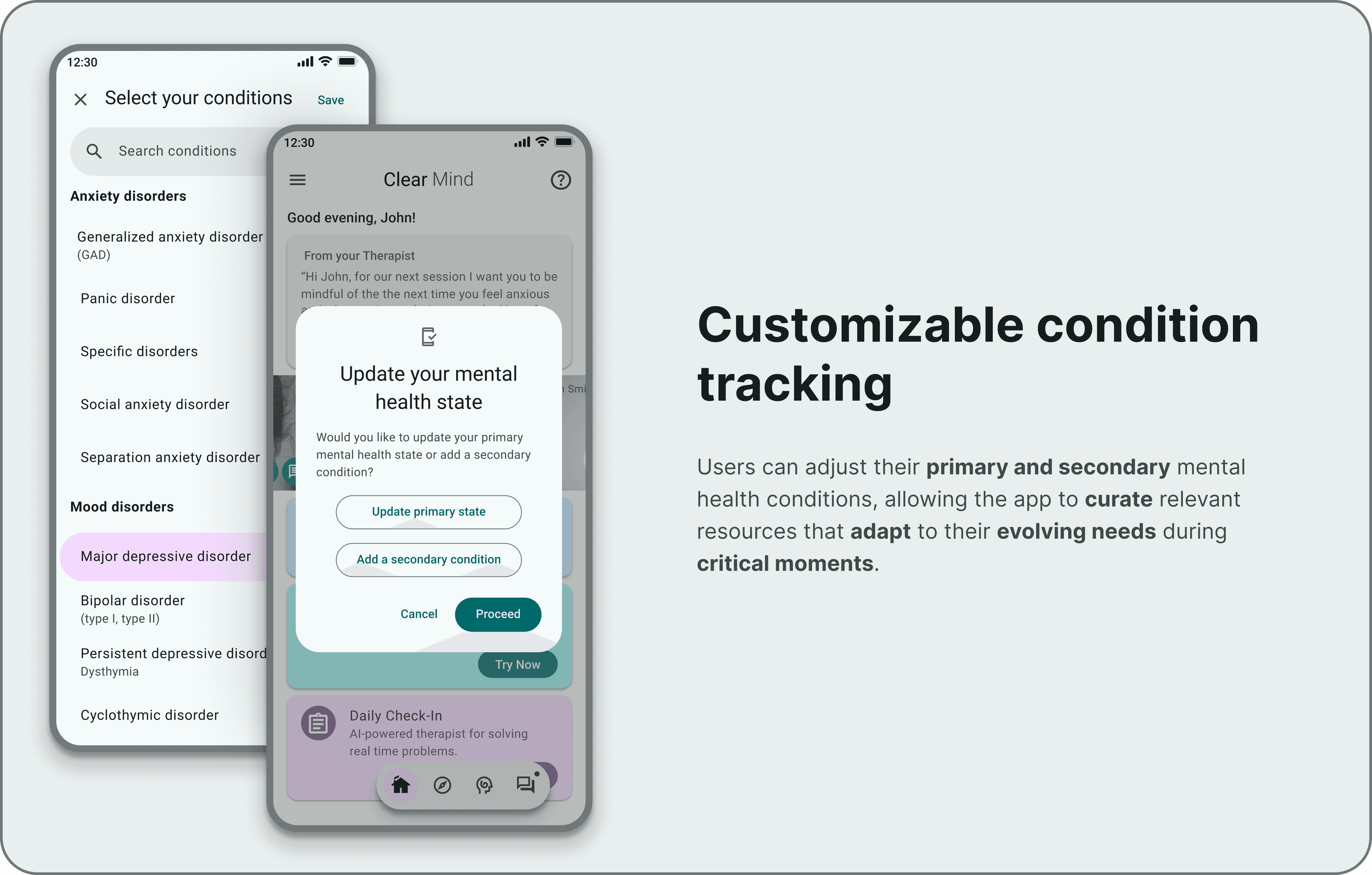
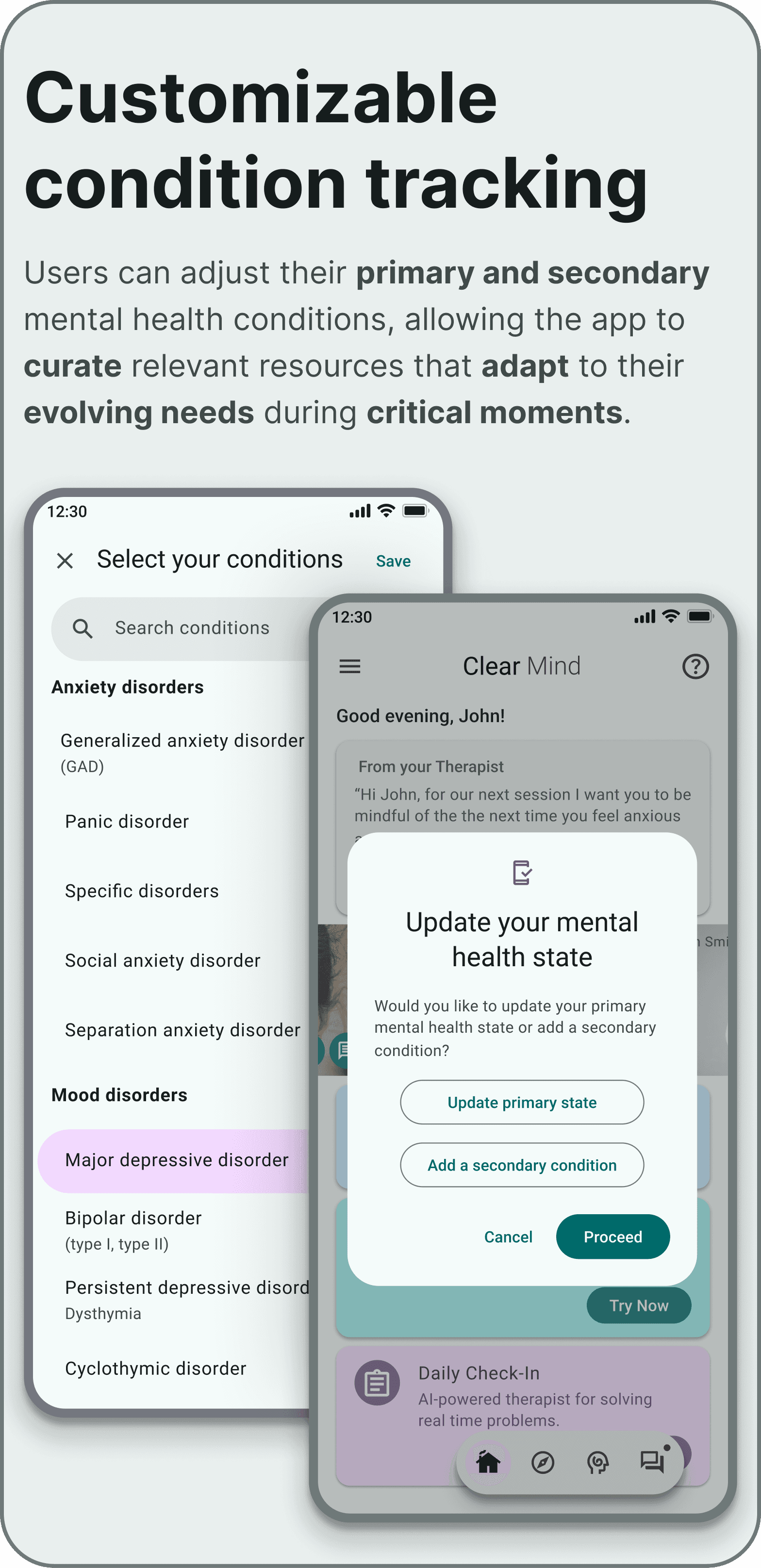
UX mockup for 'Clear Mind' featuring 'Customizable condition tracking.' One screen shows a categorized list of mental health conditions, while a foreground modal allows users to update their primary state to receive curated, adaptive resources.
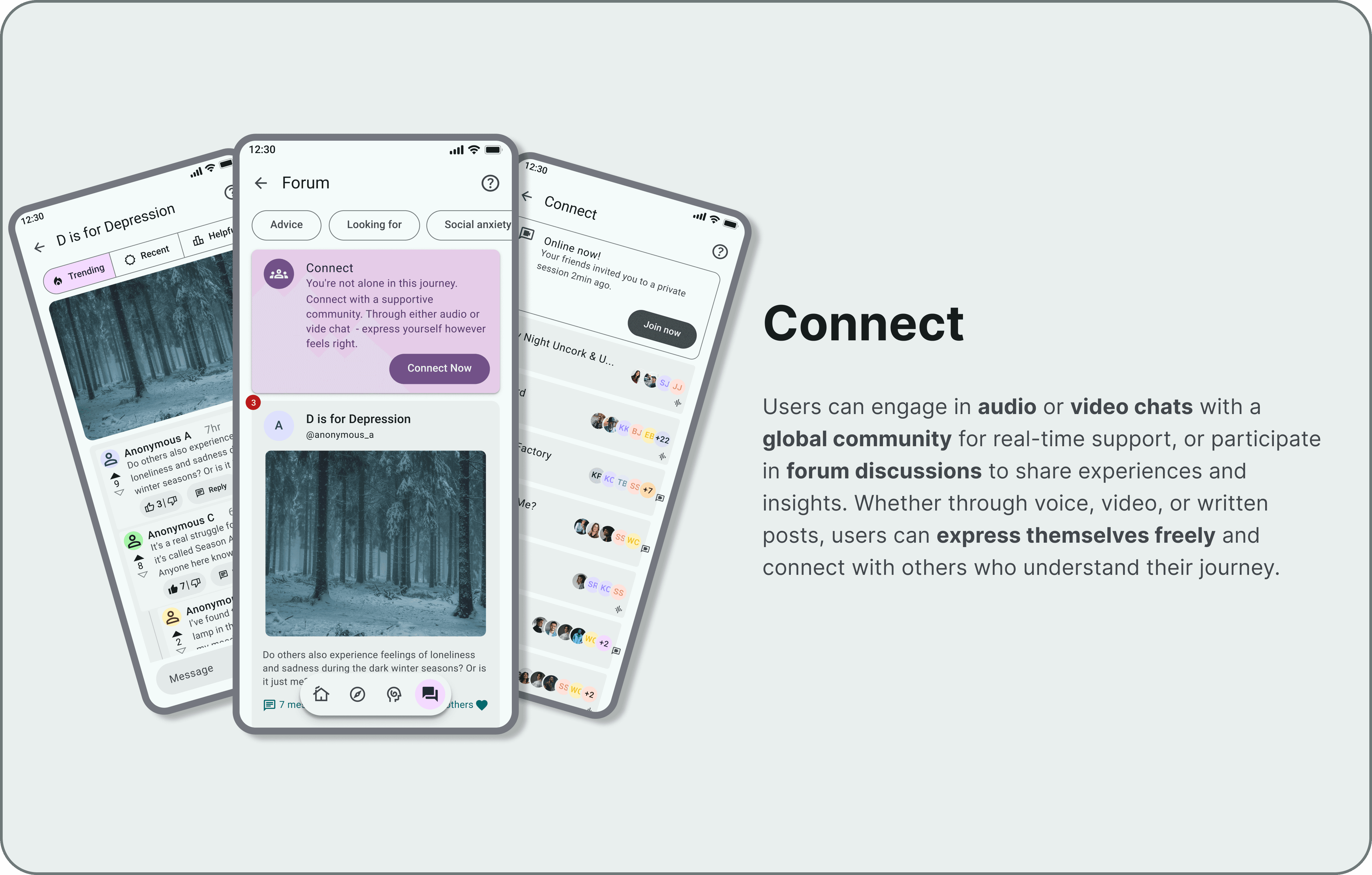
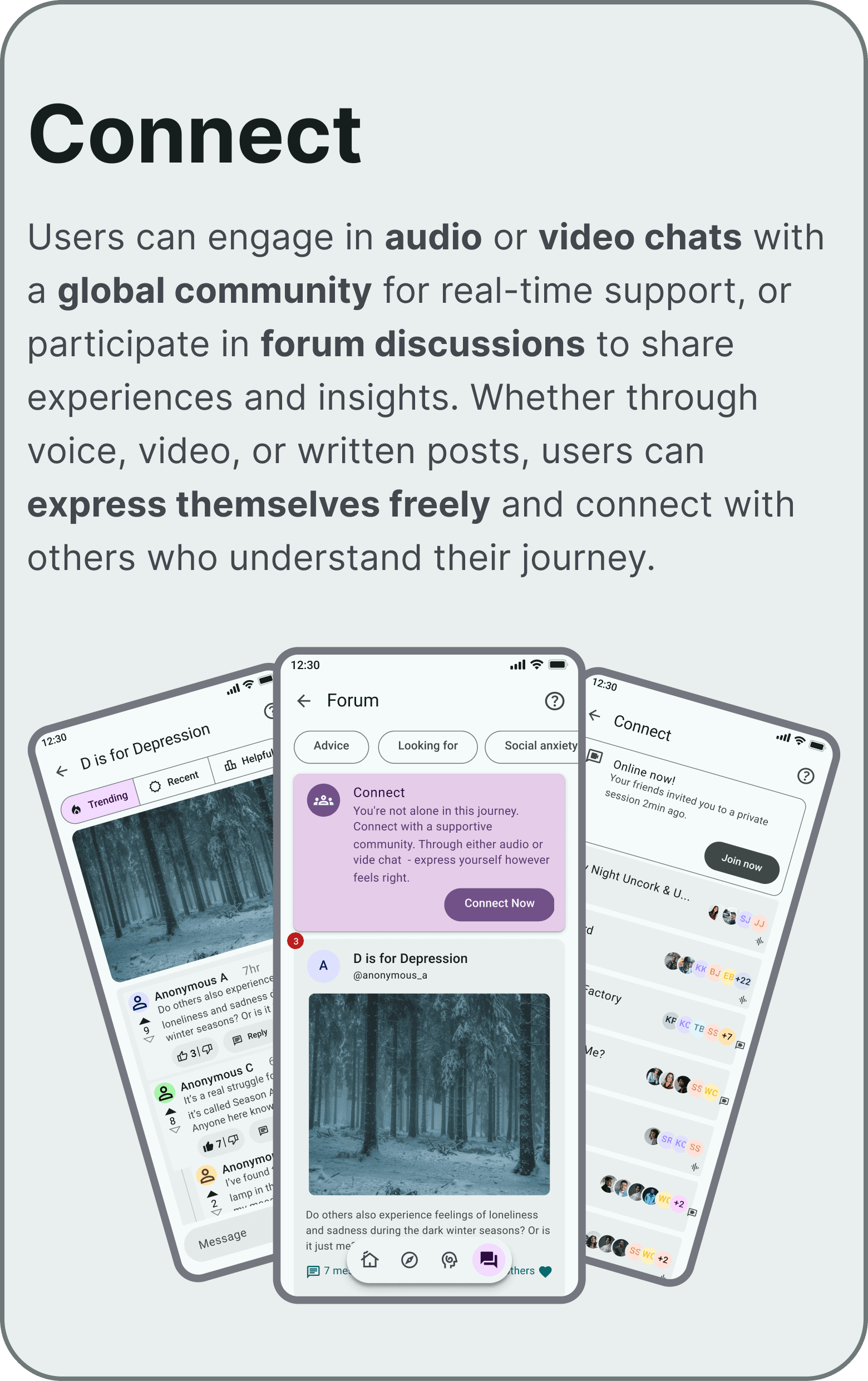
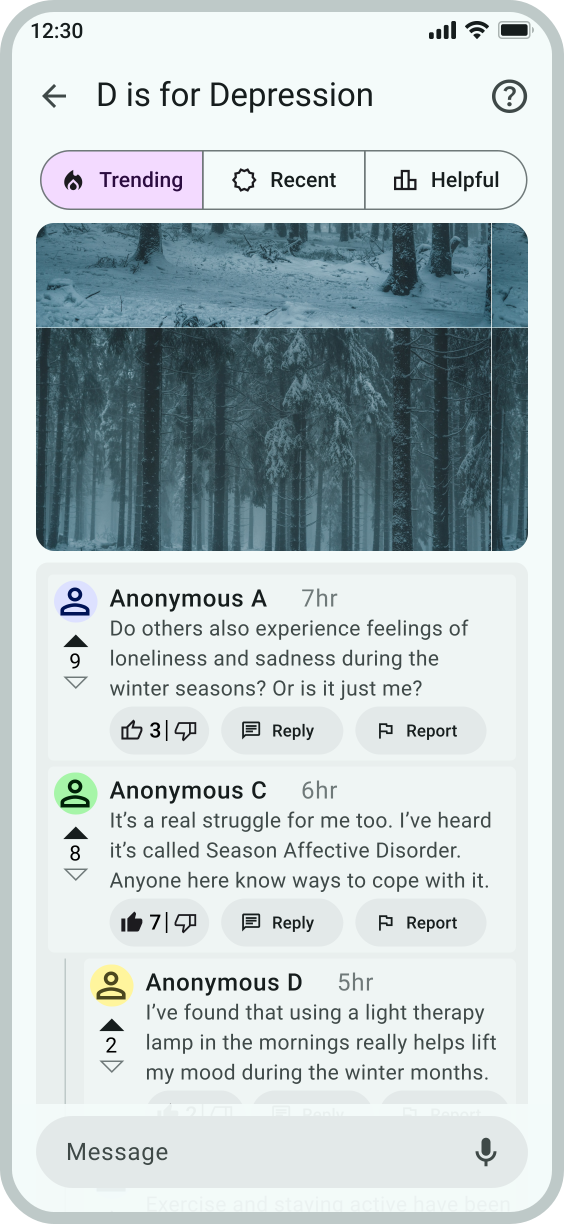
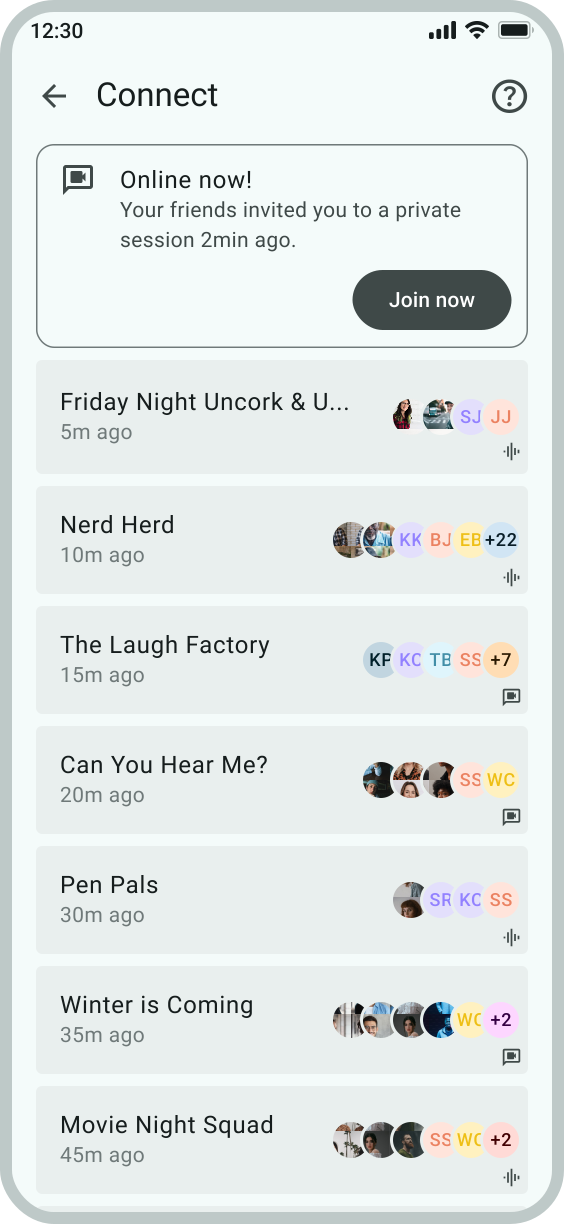
UX mockup of the 'Clear Mind' community feature, 'Connect.' Three mobile screens show a specific forum thread about seasonal sadness, the main community forum dashboard, and a 'Connect' live room interface where users can join public or private audio and video discussions.
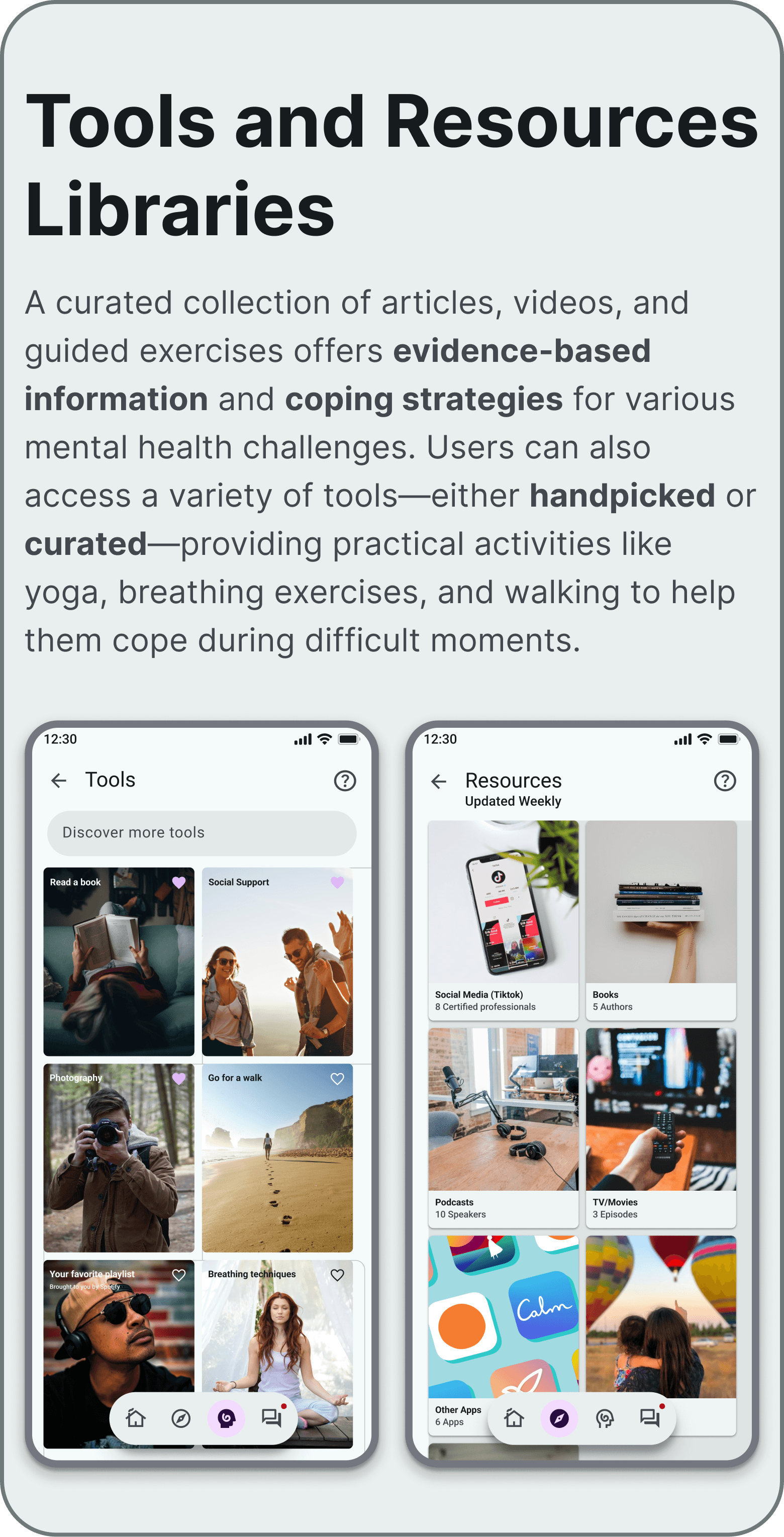
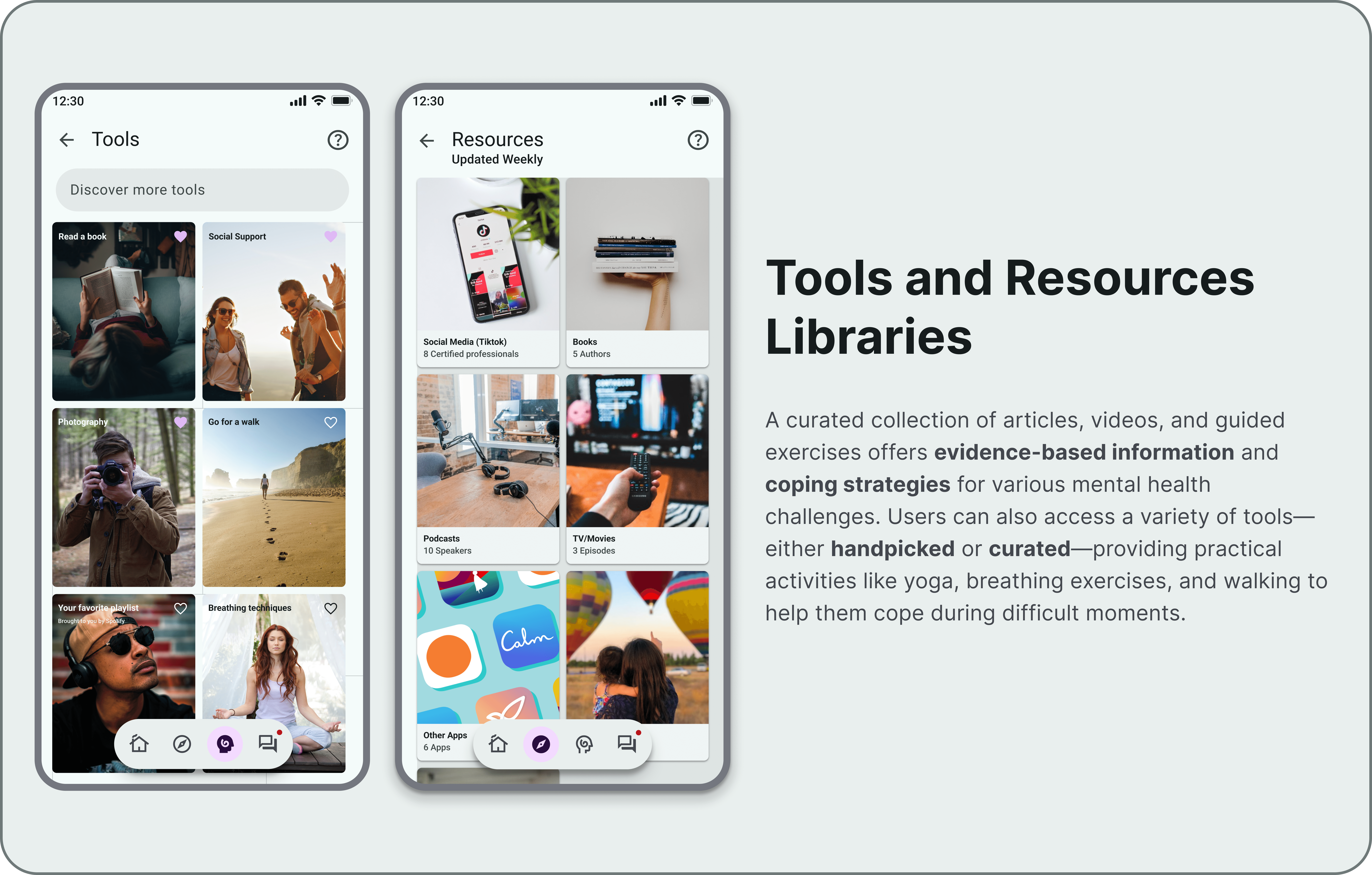
UX mockup of the 'Clear Mind' app featuring 'Tools and Resources Libraries'. The first screen shows a personalized grid of user-curated coping activities, such as photography and walking, based on what has helped the user in the past. The second screen displays a researcher-backed collection of media—including books and podcasts—providing evidence-based practical support.
UX mockup of the 'Clear Mind' community feature, 'Connect.' Three mobile screens show a specific forum thread about seasonal sadness, the main community forum dashboard, and a 'Connect' live room interface where users can join public or private audio and video discussions.

Design Process

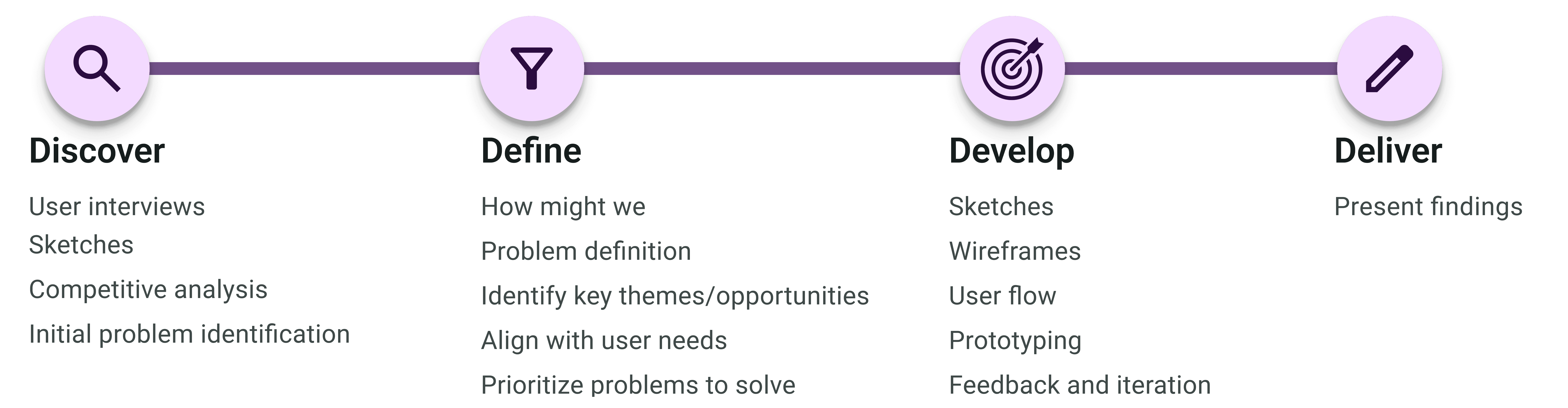
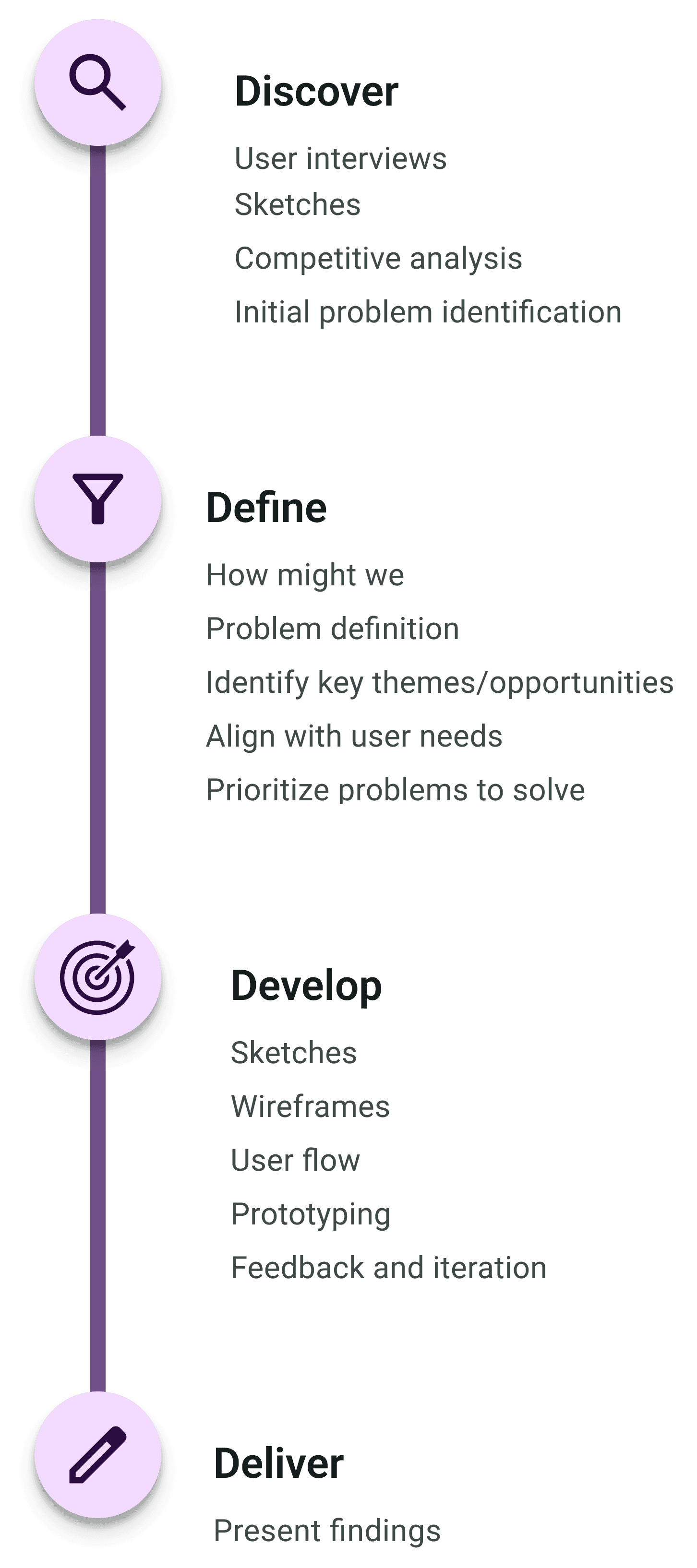
After identifying the gaps in current mental health apps, I designed an application guided by user-centered design principles and created a low-fidelity prototype. I conducted user testing with five participants, incorporating their feedback to refine the design and ensure it addressed diverse mental health needs effectively. This iterative process led to the development of a high-fidelity prototype tailored to user preferences and behaviors

Interview Insights

I interviewed individuals currently battling mental health challenges in order to better understand the landscape of available resources, as well as how to best support users facing a wide range of challenges. This led to a last-minute suggestion to explore the app from the perspective of someone supporting a loved one, prompting additional interviews.
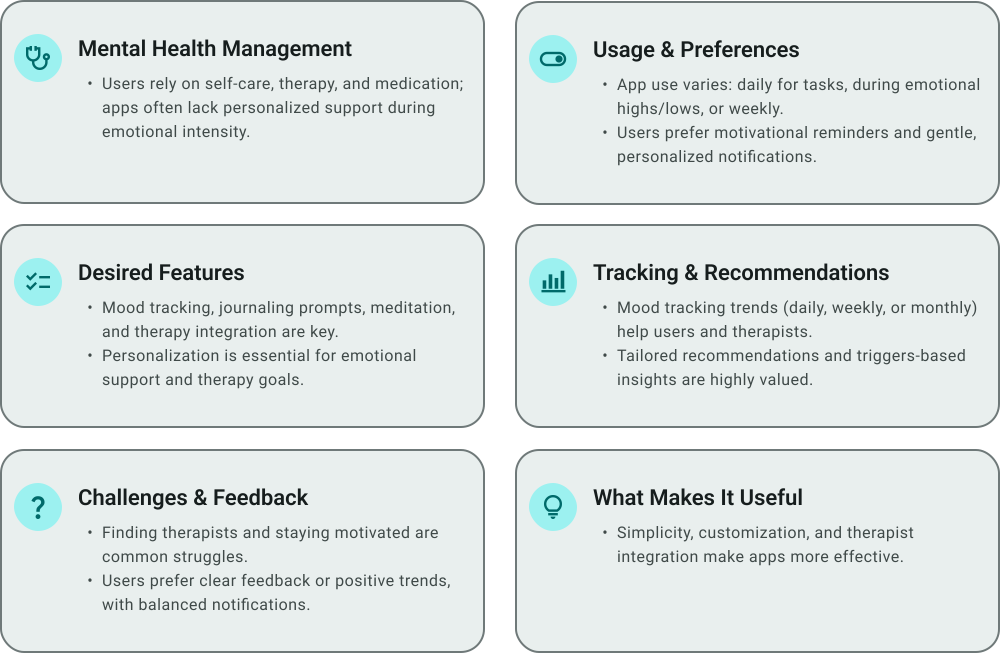
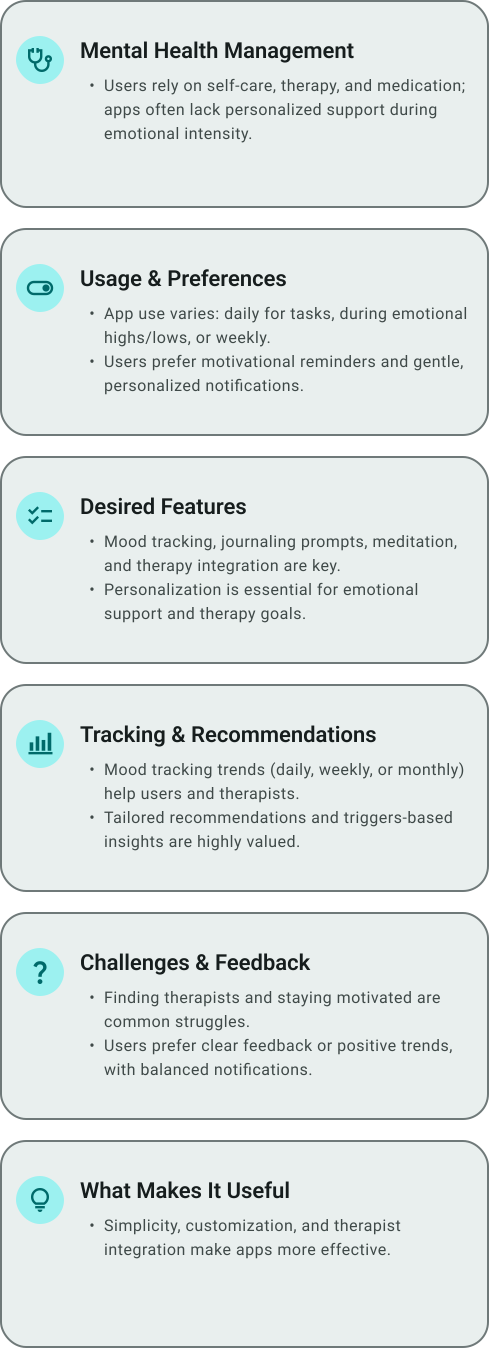
A summary graphic of user research findings for the 'Clear Mind' project. Six cards categorize insights into themes like Mental Health Management, Desired Features, and Challenges, highlighting the user's preference for personalized support, researcher-backed tools, and balanced notifications.

Competitive Analysis

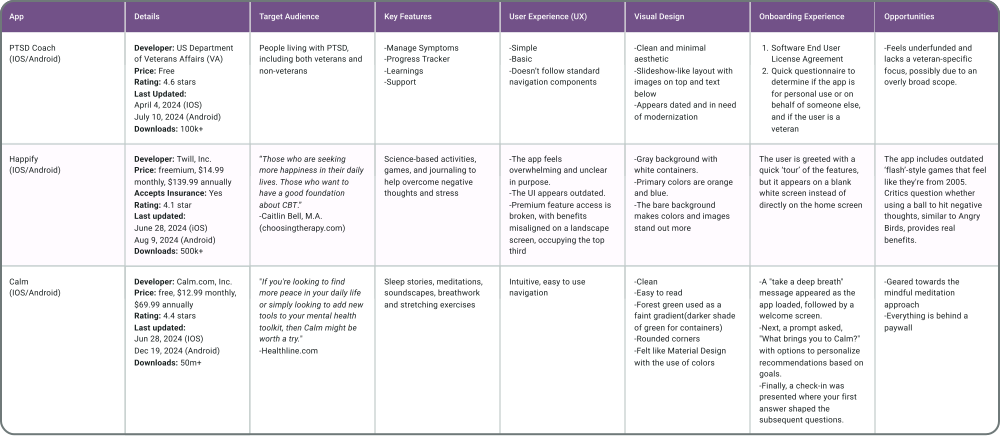
My initial approach was to audit the top trending mental health apps in the app store. However, after discovering a website that ranked apps by specific 'best for...' categories, I realized this approach was more effective. It allowed me to analyze a broader range of apps, giving me deeper insights into the competitive landscape.

A competitive audit table for the 'Clear Mind' project, comparing three existing mental health apps: PTSD Coach, Happify, and Calm. The table evaluates each app across categories including target audience, key features, UX flow, visual design, and onboarding to identify market opportunities like modernizing outdated interfaces and improving accessibility.

Design System

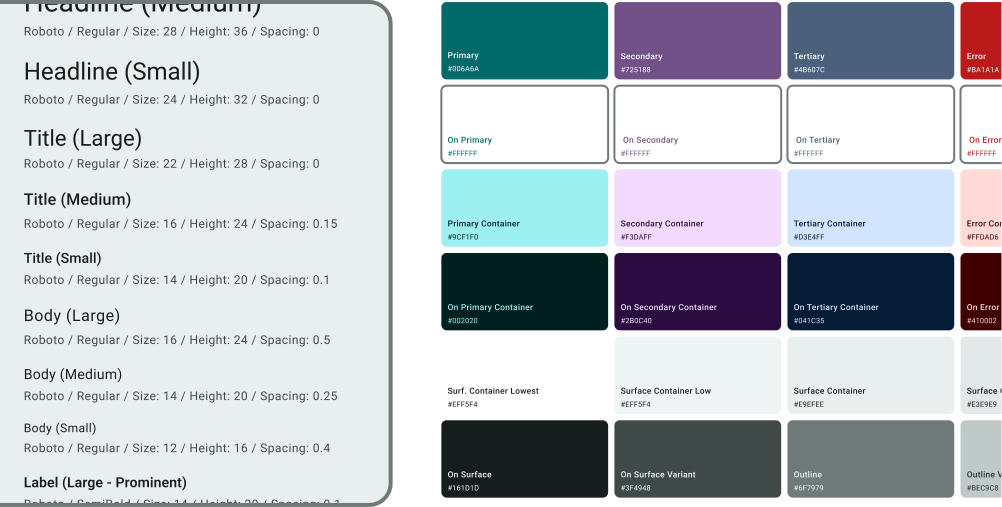
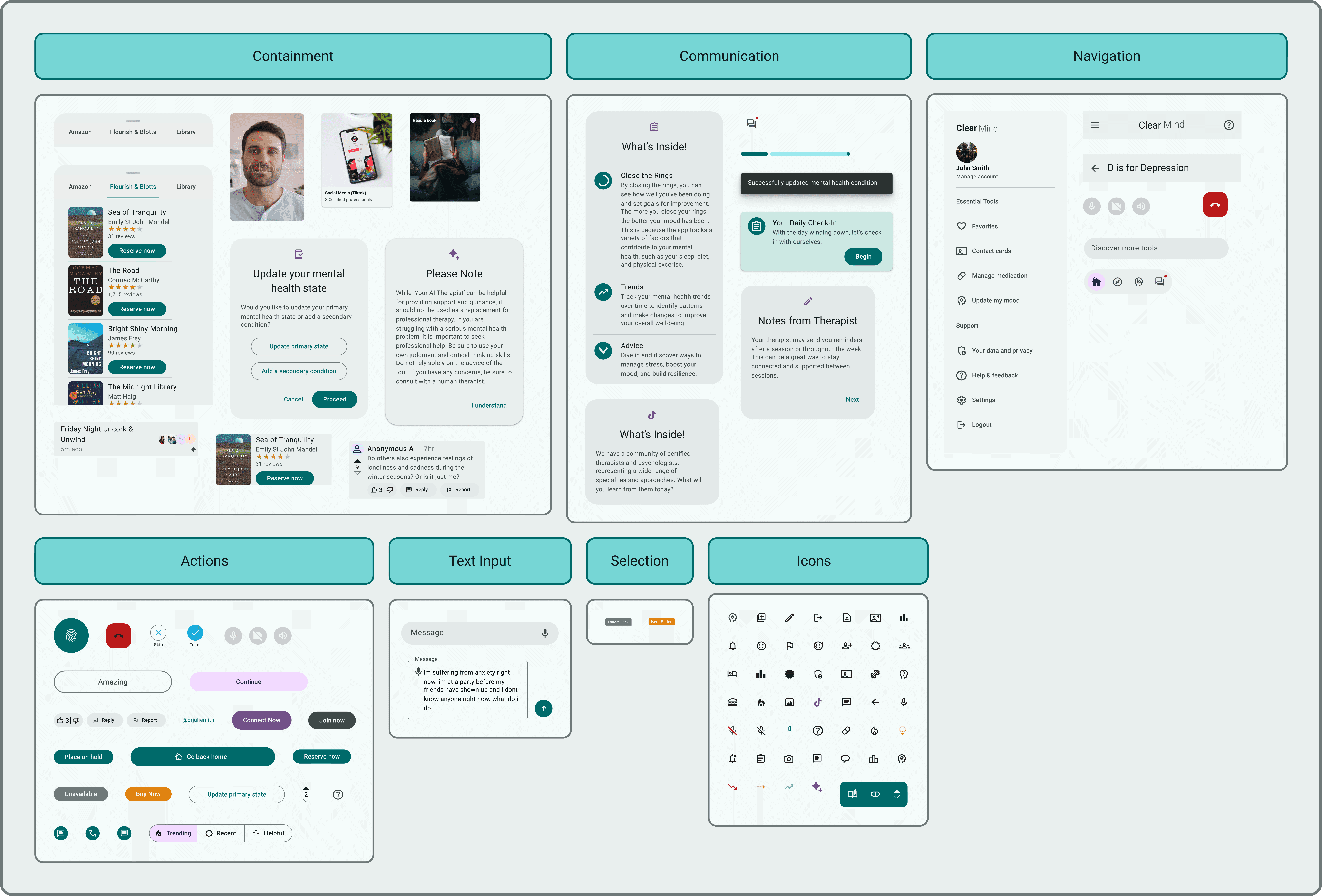
Incorporating Google’s Material Design laid the foundation for creating new components and interactions, ensuring a consistent and scalable user interface. This framework guided typography, color schemes, and iconography, enabling intuitive, accessible design elements across the app.

A design system specification sheet for the 'Clear Mind' app, outlining the typography and color palette. The left panel defines a clear hierarchy using the Roboto font, detailing sizes and spacing for headlines, titles, and body text. The right panel displays a Material Design-inspired color system, featuring a primary teal, secondary purple, and tertiary blue-gray palette, with corresponding hex codes for containers and surface colors to ensure accessibility and visual consistency.
A comprehensive UI component library for the 'Clear Mind' project, organized into functional categories: Containment, Communication, Navigation, Actions, Text Input, Selection, and Icons. The sheet demonstrates a cohesive visual language with teal and purple accents, featuring various button states, navigation menus, personalized message cards, and a custom set of line icons designed to facilitate a clear and supportive user experience.

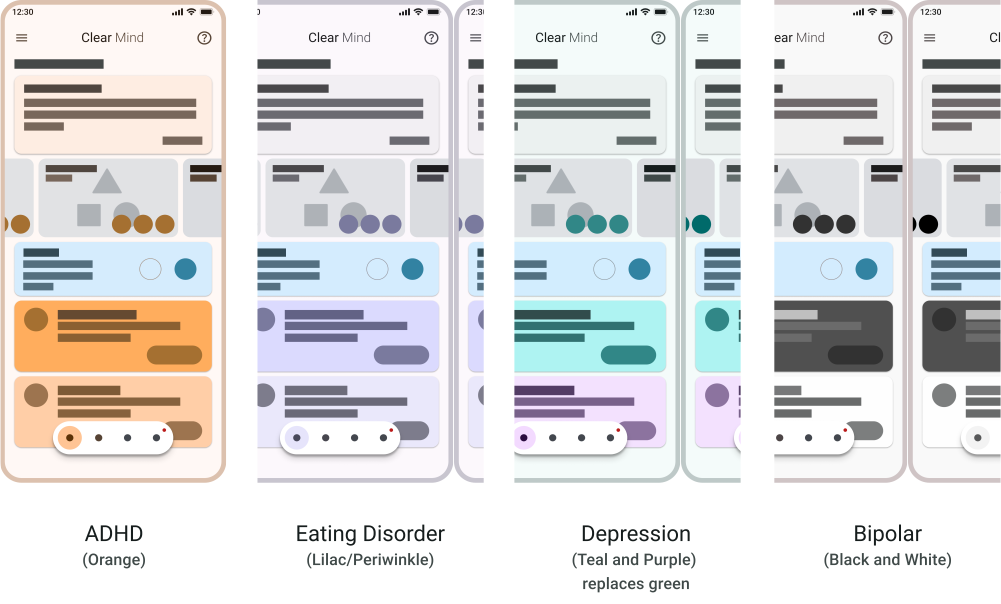
By leveraging Material Design's color system, I was able to create a consistent and intuitive color palette that aligns with mental health awareness. This system provided the flexibility to adapt awareness ribbon colors, enhancing the user experience and ensuring visual clarity throughout the app.

UX mockup for the 'Clear Mind' app showcasing 'Surface Tones' for an adaptive user interface. Four mobile screens demonstrate how the dashboard color palette adjusts to support different user states: orange for ADHD, lilac and periwinkle for Eating Disorders, teal and purple for Depression, and a high-contrast monochrome theme for Bipolar disorder. This design choice highlights a human-centered approach by tailoring the visual environment to the user's emotional and cognitive needs.

How Might We

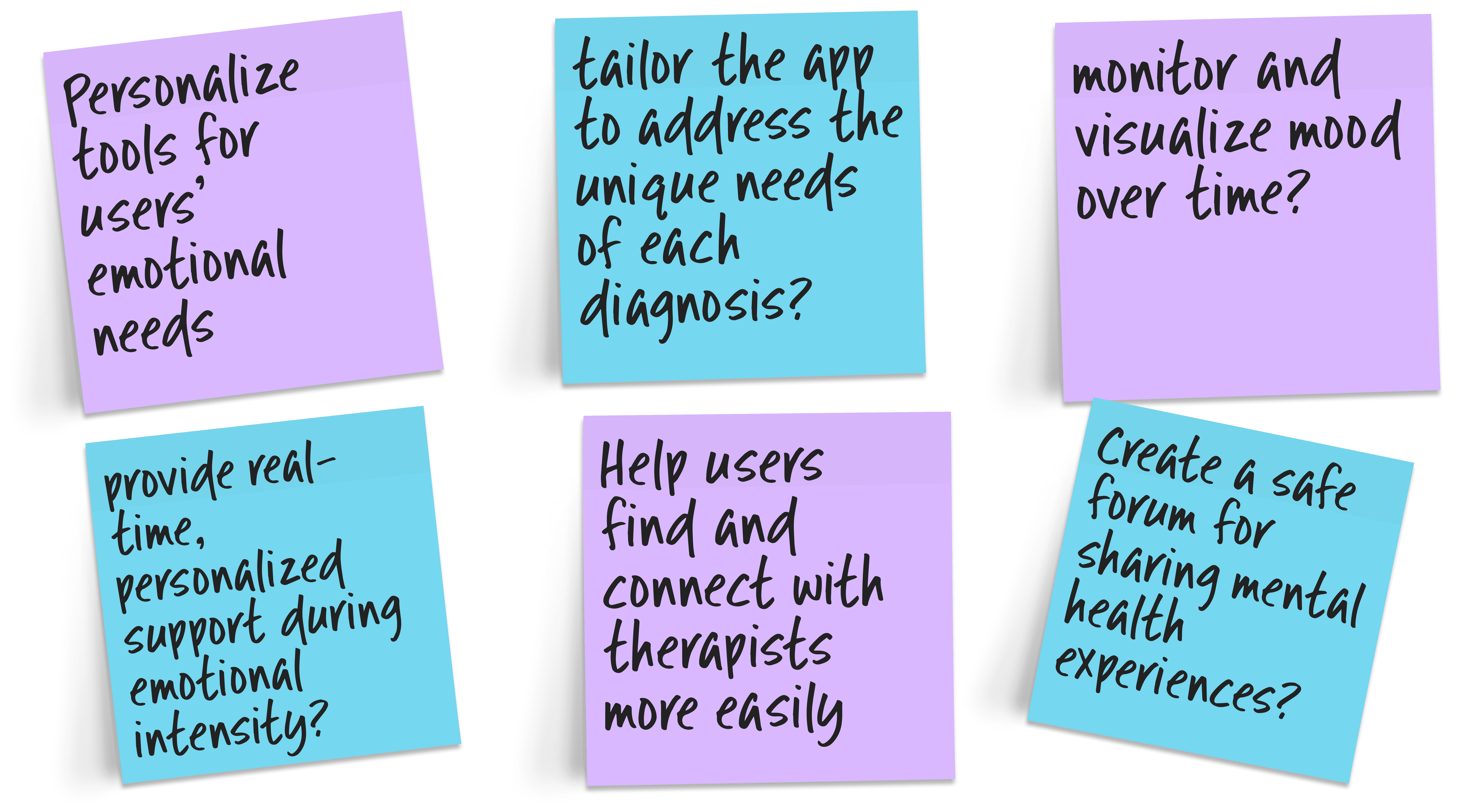
By applying the "How Might We" method, I reframed the frustrations shared during the interview stage into actionable opportunities for design improvement. This approach allowed me to capture user pain points effectively and translate them into targeted solutions that addressed their needs.

A digital brainstorm session for the 'Clear Mind' project featuring six purple and blue sticky notes. Each note presents a 'How Might We' question focused on human-centered solutions, such as personalizing tools for emotional needs, tailoring the app for specific diagnoses, facilitating therapist connections, and creating safe forums for sharing mental health experiences.

User Flow

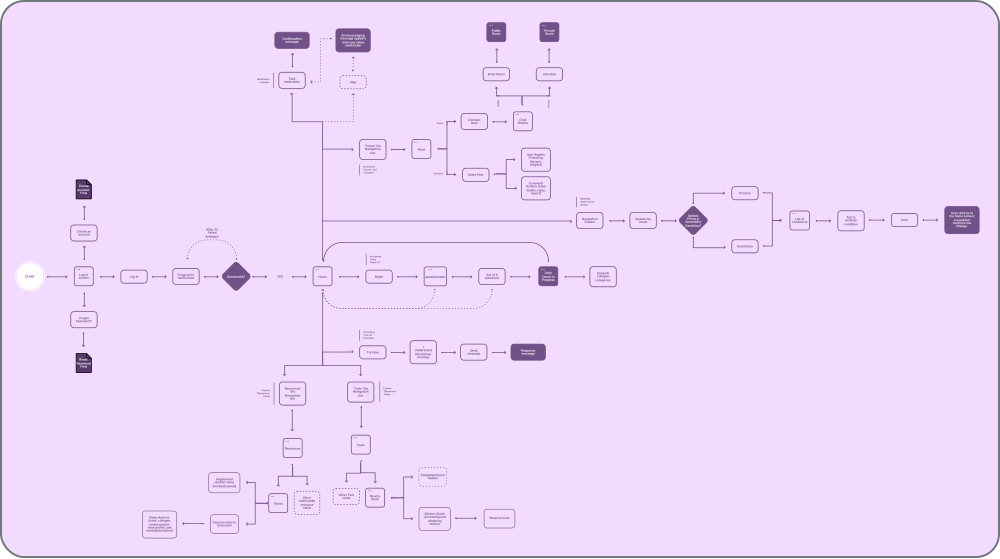
I also created a user flow to flush out the user journey, identify gaps, and validate assumptions, ensuring the design was intuitive and aligned with user needs. This process provided a clear framework for developing solutions that addressed user pain points effectively.

A detailed UX user flow diagram for the 'Clear Mind' app, presented in a purple monochromatic style. The architectural map tracks the user journey from a secure login with biometric authentication through a centralized dashboard. It illustrates three primary navigation branches: peer-to-peer engagement in the 'Connect' community, self-guided care within the 'Tools and Resources' libraries, and a specialized configuration flow that allows users to dynamically update their mental health conditions to receive tailored app content.

Sketches

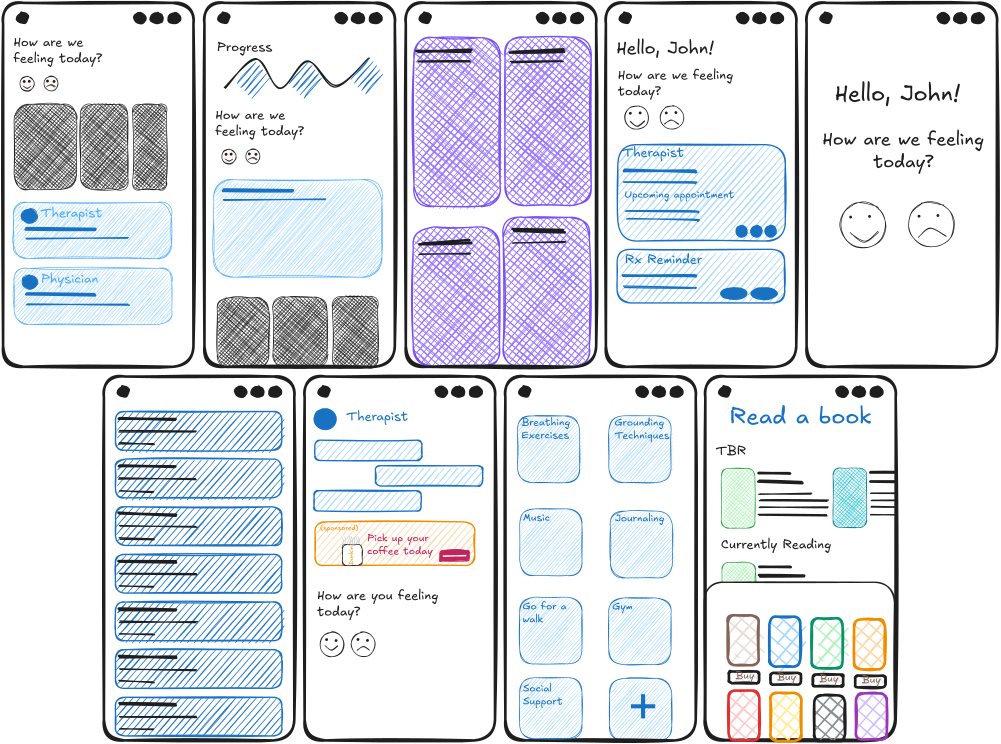
I created a low-fidelity prototype to map out the core features and interactions of the design. This helped visualize the user experience and allowed for early feedback to guide further development.

Initial hand-drawn conceptual sketches for the 'Clear Mind' project. These diagrams use rough shapes to map out early ideas for the information hierarchy and the layout of functional areas like the 'Connect' feature and the 'Tools' library. The sketches capture the foundational phase of the design process, focusing on organizing content and establishing the core structure of the app.

Low-Fidelity Prototype

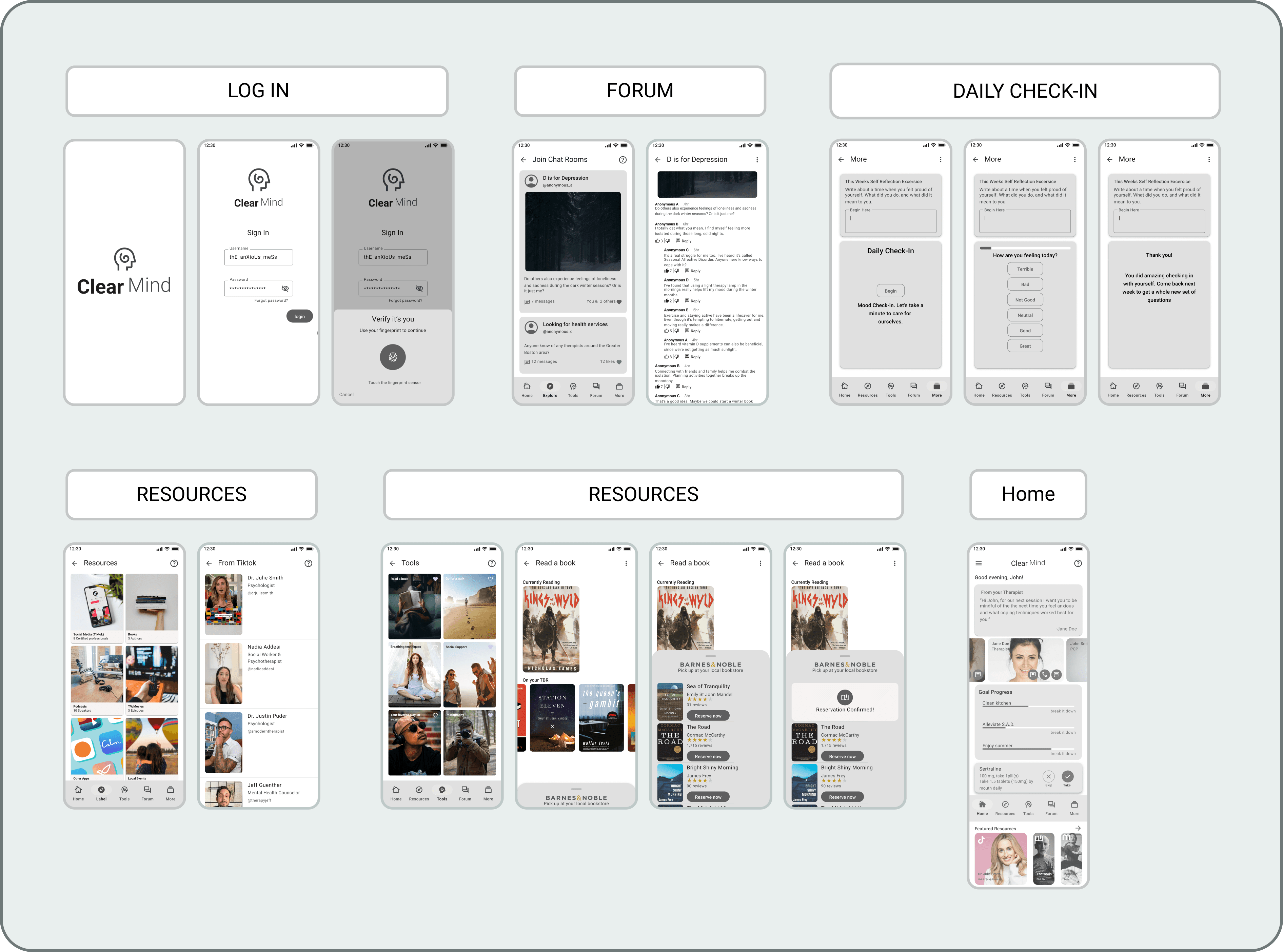
I created a low-fidelity prototype to map out the core features and interactions of the design. This helped visualize the user experience and allowed for early feedback to guide further development.

A digital low-fidelity wireframe for the 'Clear Mind' project, presented in a grayscale architectural layout. This blueprint organizes the content into functional zones, establishing the hierarchy for the 'Connect' feature and 'Tools' library. The design uses defined shapes to organize content and establish the structural foundation of the user experience before moving into high-fidelity detail.

Usability Study

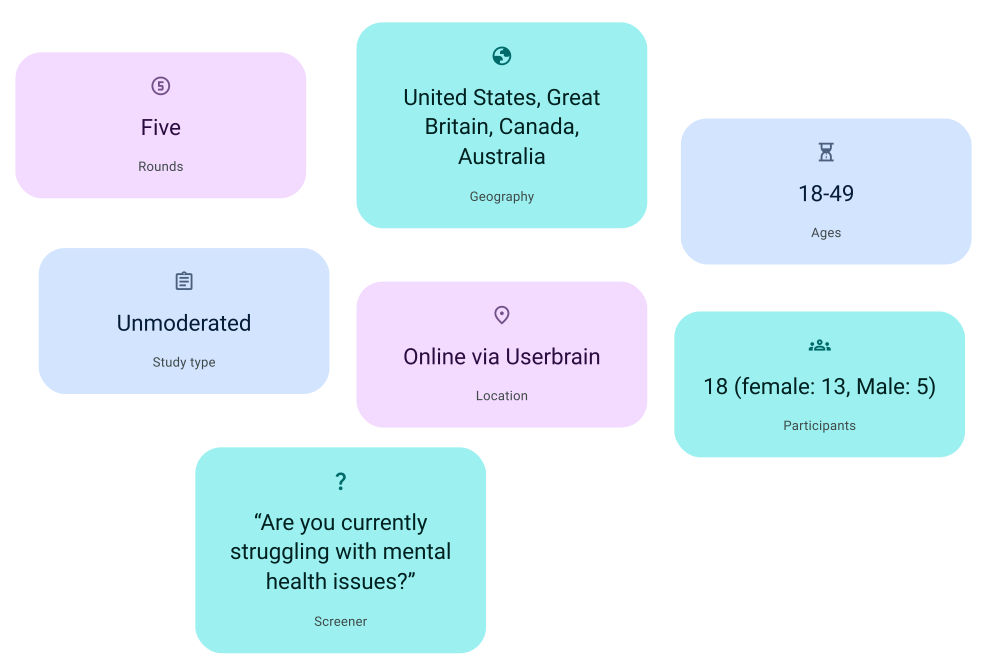
I conducted a usability study to gather valuable insights, focusing on how users interacted with the app and identifying areas for improvement. The study involved multiple testing rounds to assess different features and workflows, incorporating both A/B testing and real-world suggestions.

A research summary graphic highlighting the scope of usability testing for the 'Clear Mind' project. The data represents five rounds of unmoderated studies conducted via the Userbrain platform with 18 participants. The demographic breakdown shows a diverse global reach with testers from the United States, Great Britain, Canada, and Australia, ranging in age from 18 to 49.

Design Iteration

Design iterations for the mental health app were driven by continuous user feedback and usability testing. Each iteration focused on streamlining navigation, clarifying content, and creating a calming, supportive interface. This process ultimately produced a user-friendly design that effectively meets the needs of its users.

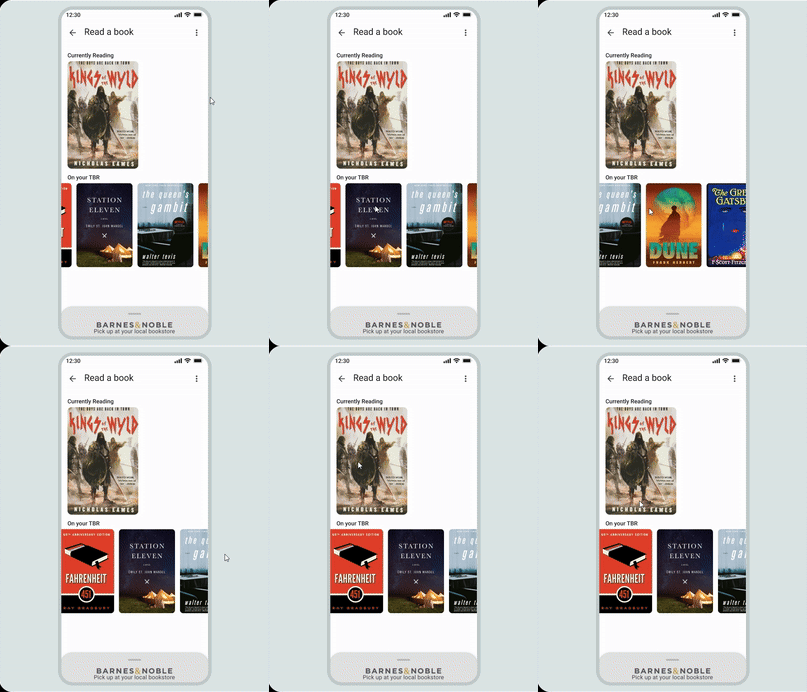
A mobile app interface titled "Read a book" showing a reading list. The screen features a "Currently Reading" section with the book cover for Kings of the Wyld and an "On your TBR" (To Be Read) horizontal carousel featuring books like Station Eleven and The Queen’s Gambit. At the bottom, a small grey pull-up drawer displays the Barnes & Noble logo with the text "Pick up at your local bookstore.
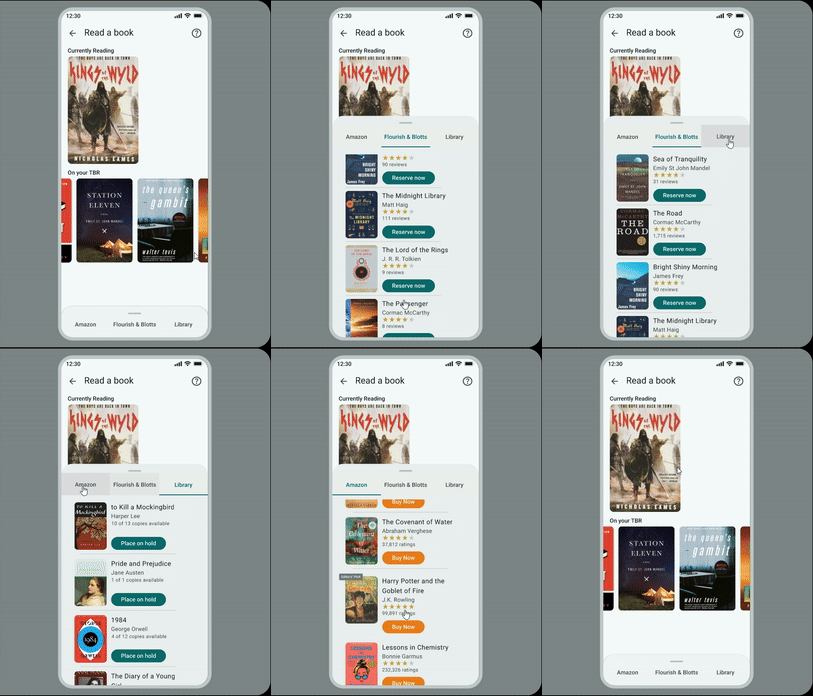
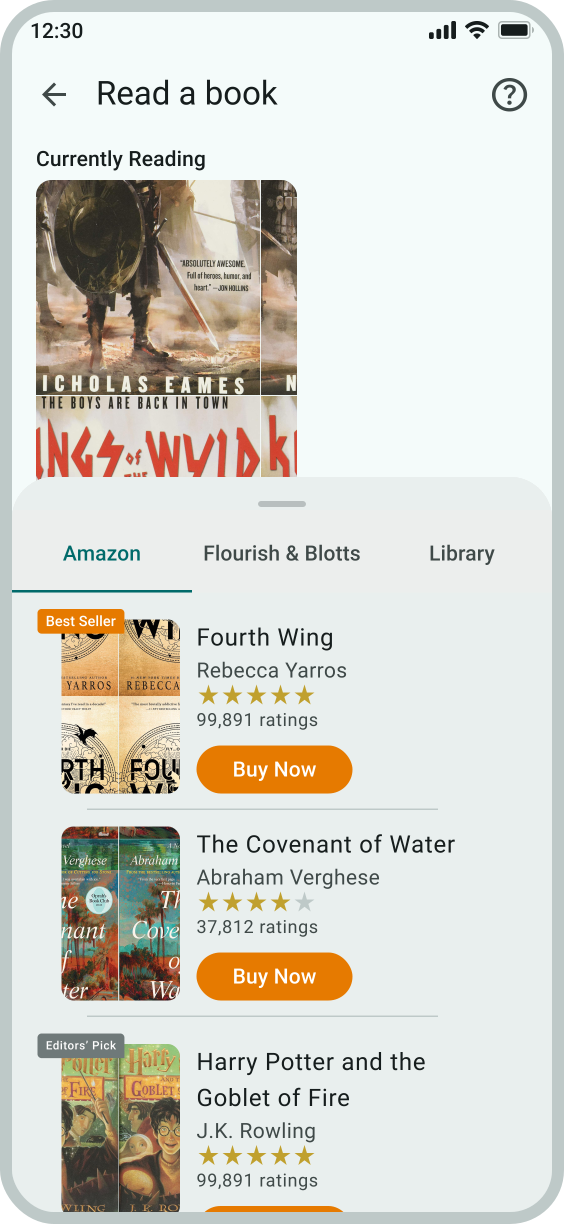
An updated version of the "Read a book" mobile interface. The top navigation now includes a help icon (question mark) in the top right corner. The main content remains the same with "Currently Reading" and "On your TBR" sections. The bottom pull-up drawer has been expanded into a wider white menu featuring three distinct navigation or purchase options: "Amazon," "Flourish & Blotts," and "Library".
A mobile app interface titled "Read a book" showing a reading list. The screen features a "Currently Reading" section with the book cover for Kings of the Wyld and an "On your TBR" (To Be Read) horizontal carousel featuring books like Station Eleven and The Queen’s Gambit. At the bottom, a small grey pull-up drawer displays the Barnes & Noble logo with the text "Pick up at your local bookstore.
An updated version of the "Read a book" mobile interface. The top navigation now includes a help icon (question mark) in the top right corner. The main content remains the same with "Currently Reading" and "On your TBR" sections. The bottom pull-up drawer has been expanded into a wider white menu featuring three distinct navigation or purchase options: "Amazon," "Flourish & Blotts," and "Library".

I was having trouble with testers interacting with the bottom sheet, so I designed multiple variations of the 'Read a Book' screen. This allowed testers to try different options and provide feedback on which version felt most intuitive. Based on their input, I refined the design, which is now part of the app.

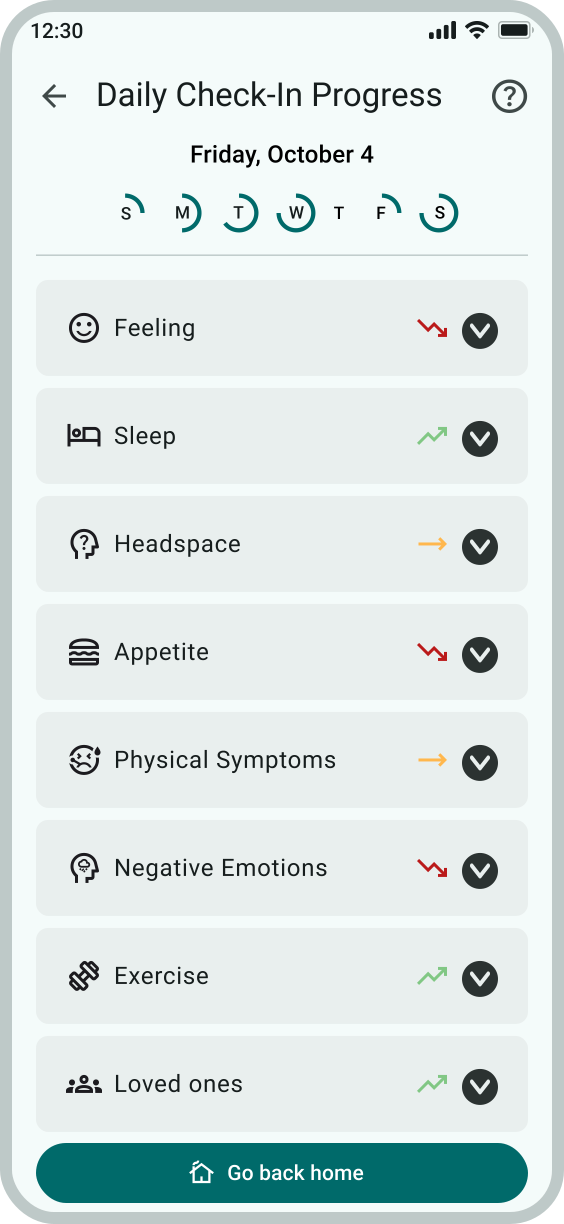
Comparison showing a "Daily Check-In" UI evolution from a basic list to an immersive full-screen layout where the background color dynamically shifts based on the user's mood selection.

Testers liked the 'Daily Check-In' screen but felt it was too 'cold' and needed more color. Drawing inspiration from a designer’s use of gradients to represent emotions on a scale, I incorporated a gradient to better reflect emotional states, adding warmth and visual appeal to the screen.

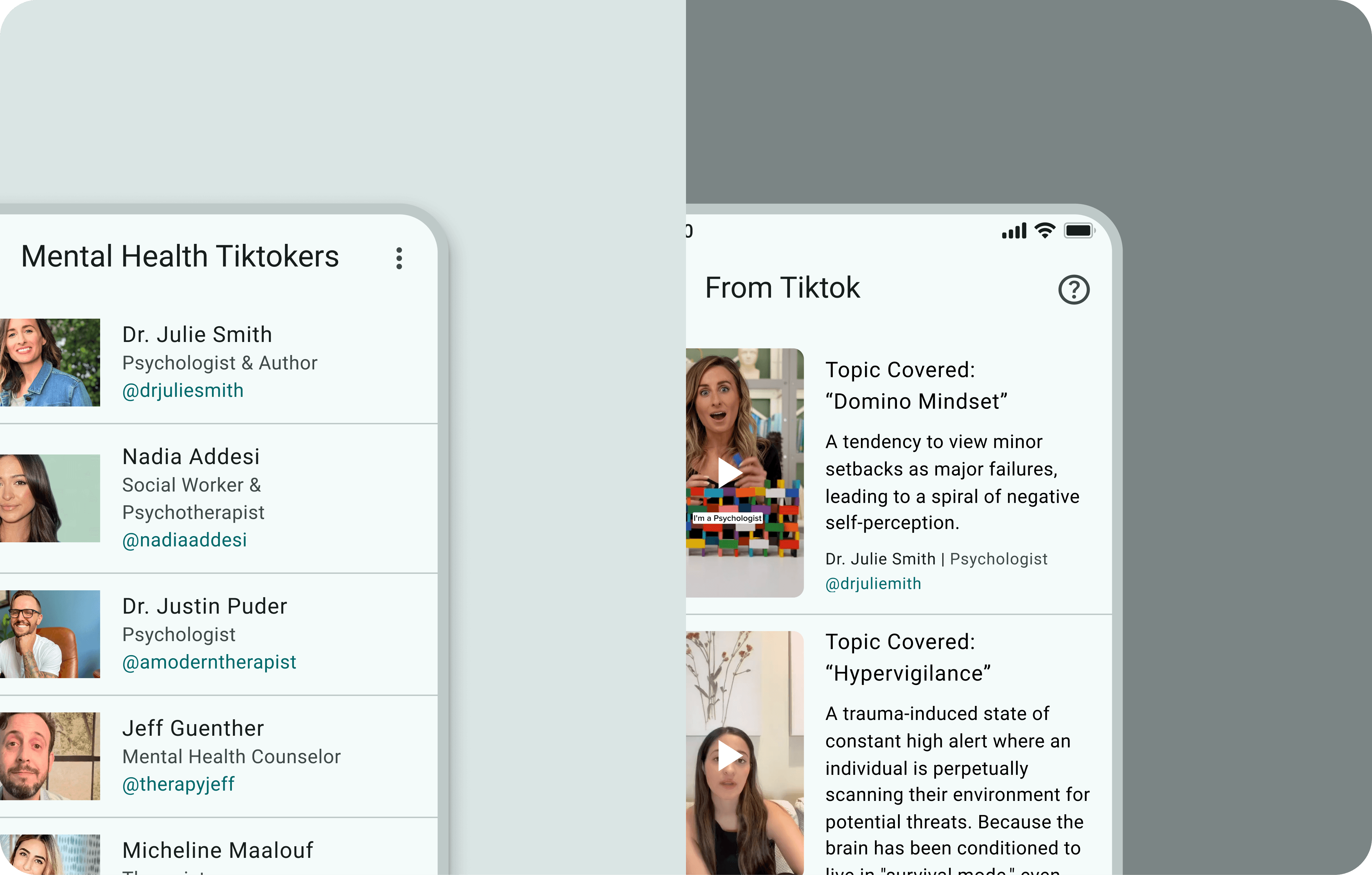
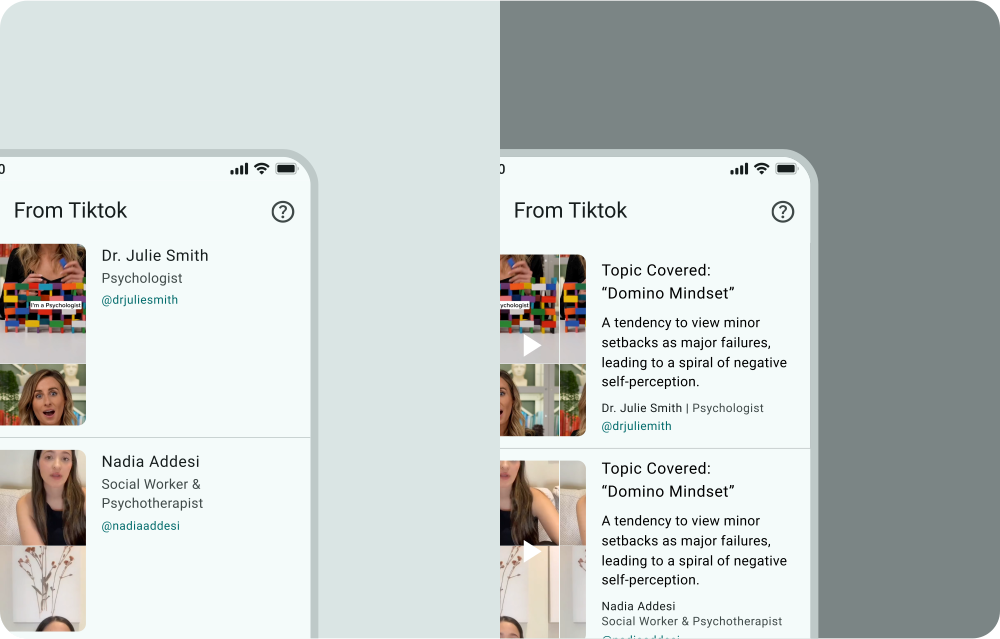
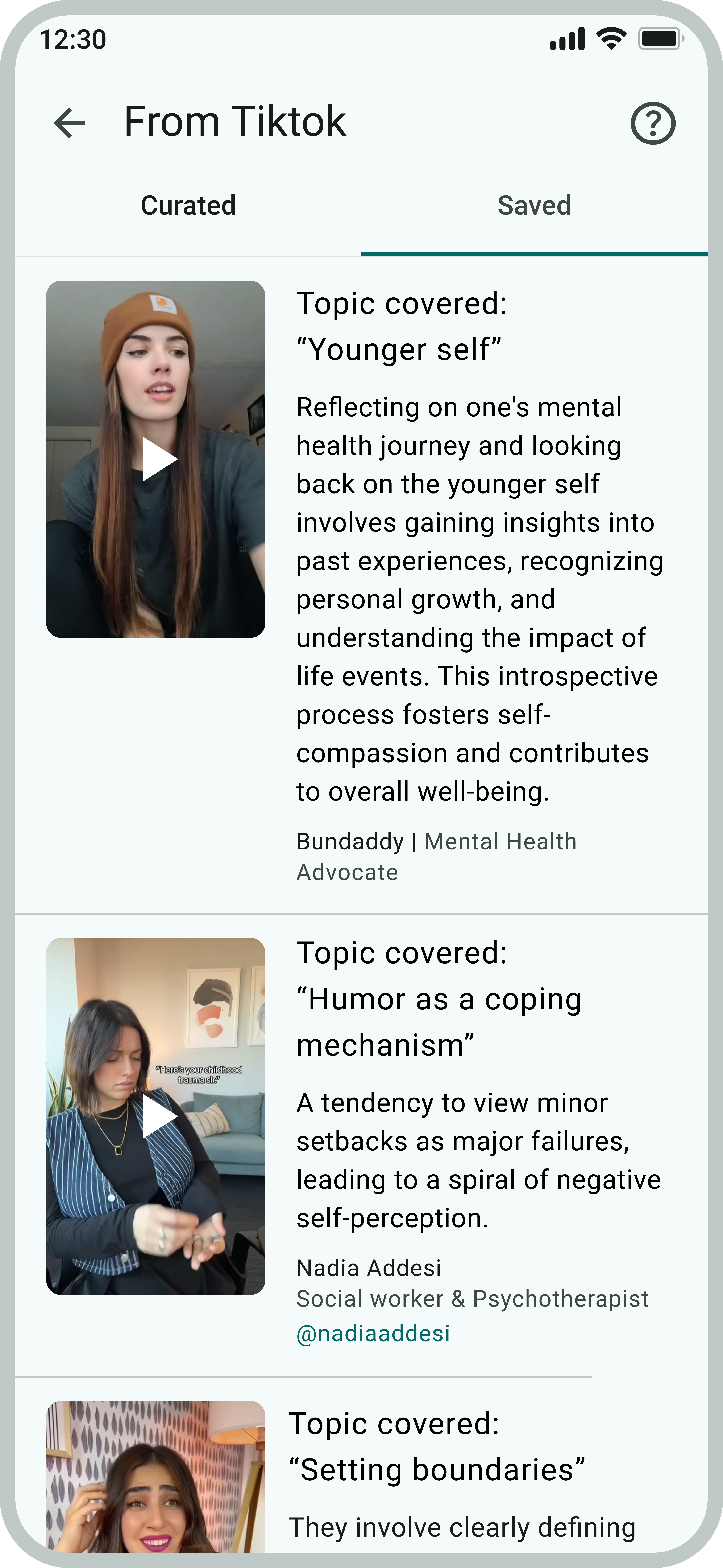
Side-by-side UI update for video cards, transitioning from a simple creator list to a detailed view with topic titles and educational summaries.

I initially assumed users would use the TikTok videos from psychologists and mental health advocates as a starting point to explore further. However, testers wanted to know the topic being covered before clicking on the video. Based on this feedback, I adjusted the design to include topic labels for better clarity.

Final Design

Accessibility Considerations

Accessibility was at the forefront of every design decision, ensuring an inclusive experience for all. The app was built with usability in mind, making navigation and interaction seamless. By prioritizing accessibility, it fosters a space where everyone can engage with ease.

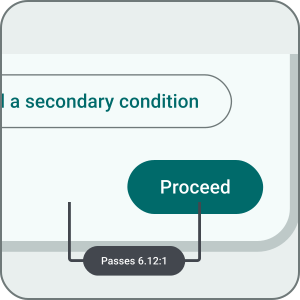
Detailed view of a "Proceed" button on a light background with an accessibility callout showing it passes with a high 6.12:1 color contrast ratio.

Contrast: Adhering to WCAG AA, sufficient color contrast contrast is maintained throughout the app, ensuring a minimum contrast ratio of 4.5:1 for normal text and 3:1 for large text to maximize readability for users with visual impairments

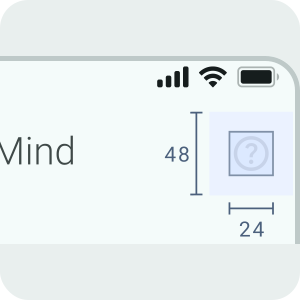
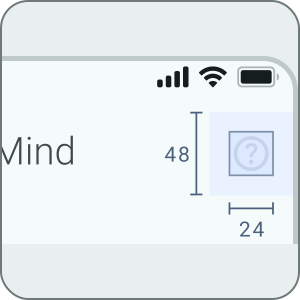
Close-up of a help icon with redline measurements showing a 48px touch target height and 24px width, ensuring it meets mobile accessibility standards.

Target area: Interactive elements use a minimum 48x48dp target size, aligning with WCAG guidelines for touch accessibility and ensuring comfortable interaction for users with varying motor skills.

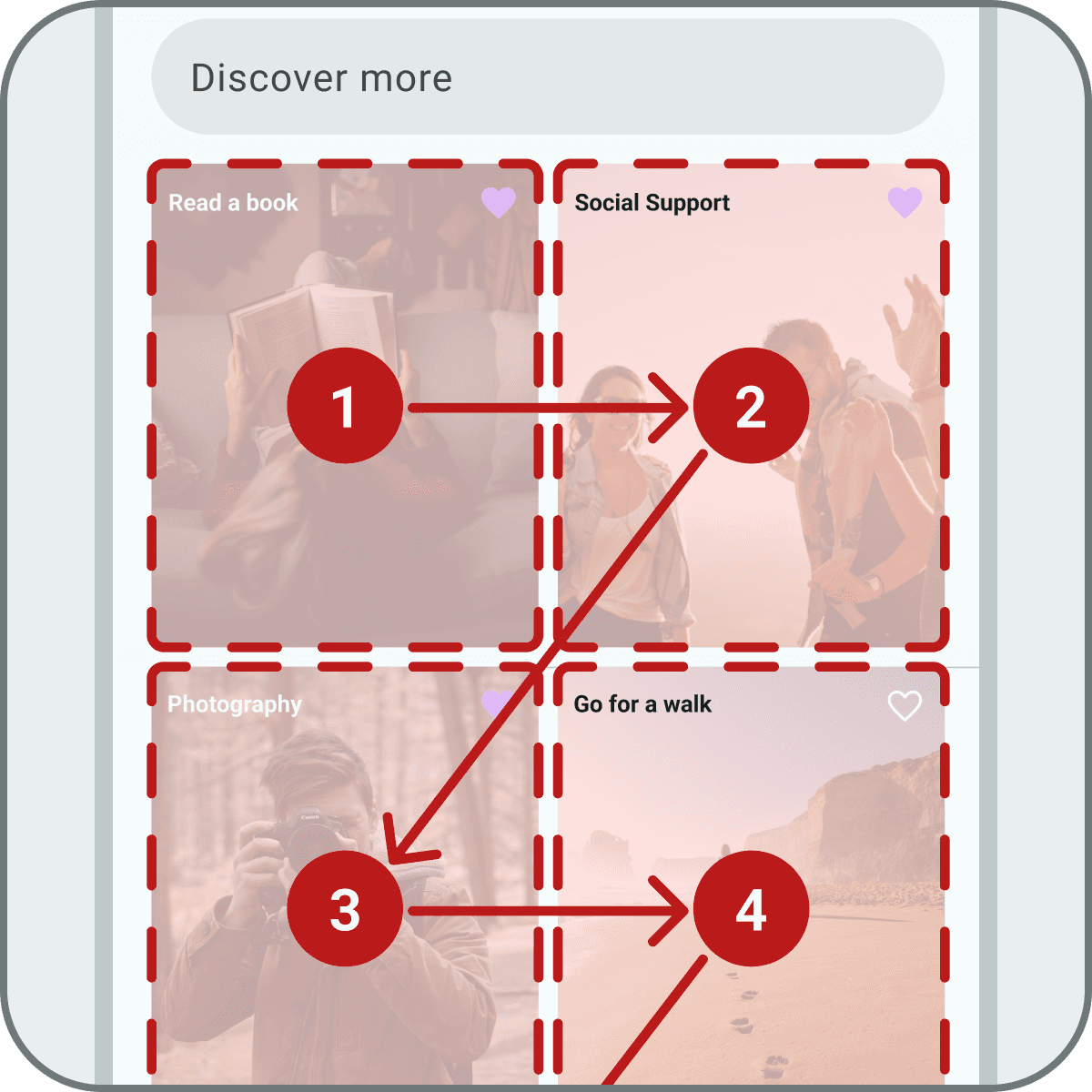
Grid of resource cards with numbered red rectangles and arrows showing the logical Z-pattern for both screen reader focus and reading order.

Visual hierarchy: To enhance clarity and accessibility, I ensured that content followed a logical reading order, providing visual cues for users while also supporting screen reader navigation.


Grid of resource cards with numbered red rectangles and arrows showing the logical Z-pattern for both screen reader focus and reading order.
Detailed view of a "Proceed" button on a light background with an accessibility callout showing it passes with a high 6.12:1 color contrast ratio.
Close-up of a help icon with redline measurements showing a 48px touch target height and 24px width, ensuring it meets mobile accessibility standards.
Grid of resource cards with numbered red rectangles and arrows showing the logical Z-pattern for both screen reader focus and reading order.

Contrast: Adhering to WCAG AA, sufficient color contrast contrast is maintained throughout the app, ensuring a minimum contrast ratio of 4.5:1 for normal text and 3:1 for large text to maximize readability for users with visual impairments

Target area: Interactive elements use a minimum 48x48dp target size, aligning with WCAG guidelines for touch accessibility and ensuring comfortable interaction for users with varying motor skills.

Visual hierarchy: To enhance clarity and accessibility, I ensured that content followed a logical reading order, providing visual cues for users while also supporting screen reader navigation.


What I Learned

I didn’t realize how emotionally impactful the app would be for those I shared it with. It created a space where they felt comfortable enough to lower their guard. This allowed them to open up about their own mental health challenges. That’s when it truly became real for me.

©2026 Justin Burrill. All Rights Reserved.

©2026 Justin Burrill. All Rights Reserved.